Churn Solution + Paddle Integration


Cancellation flows for Paddle, live in minutes.
Connect Paddle with Churn Solution and turn cancellations into saves. Segmented cancellation flows ask customers why they're leaving and show them the right offer, and every offer they accept is applied straight to their Paddle subscription.
Set it up in less than 30 minutes and start saving customers the same day.
- Less than 30-minute setup
- No code required
- 90-day money back guarantee
- Works with Paddle Billing
Everything you need to reduce Paddle cancellations
Personalized Cancellation Flows
Turn "cancel" into a conversation. When a customer clicks cancel, ask why they're leaving and show the right offer for their plan: pause, a discount, a switch to a cheaper plan, a longer free trial, a chat with your team, or a special offer page.
Learn moreCancellation Survey & Feedback
Learn exactly why customers cancel. A built-in cancellation survey and feedback form capture every reason in their own words, so you can fix what's pushing customers away.
Learn moreOffers Applied in Paddle
Every offer a customer accepts, like a pause, discount or plan switch, is applied directly to their Paddle subscription. No manual changes in your Paddle dashboard.
Learn moreSegmented cancellation flows, ready from day one
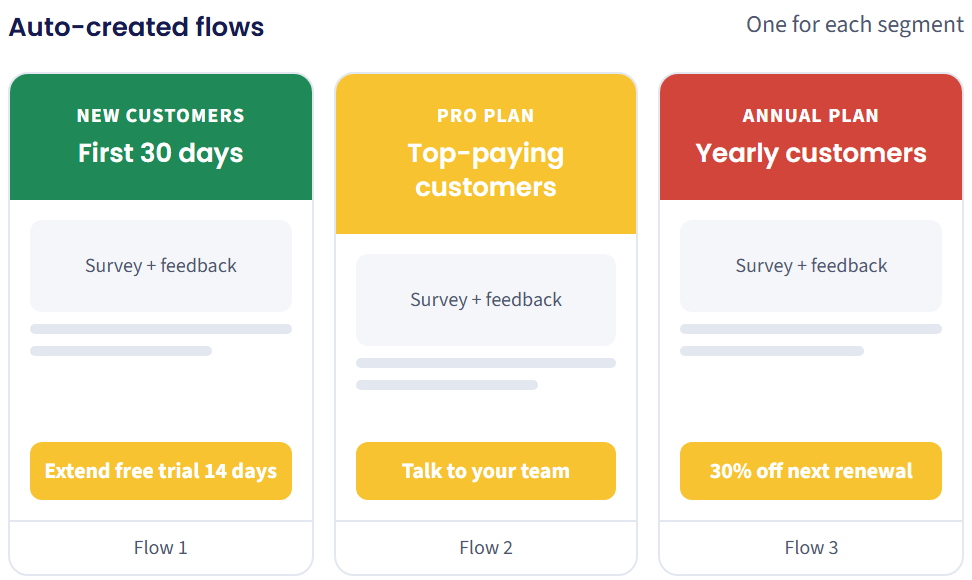
You don't have to design a single screen. As soon as you connect Paddle, Churn Solution groups your customers into segments, like new customers, long-time customers and each plan, and gives each one its own cancellation flow.
- Ready-made segments
- Built-in cancellation survey
- Feedback form included
- Matched offers
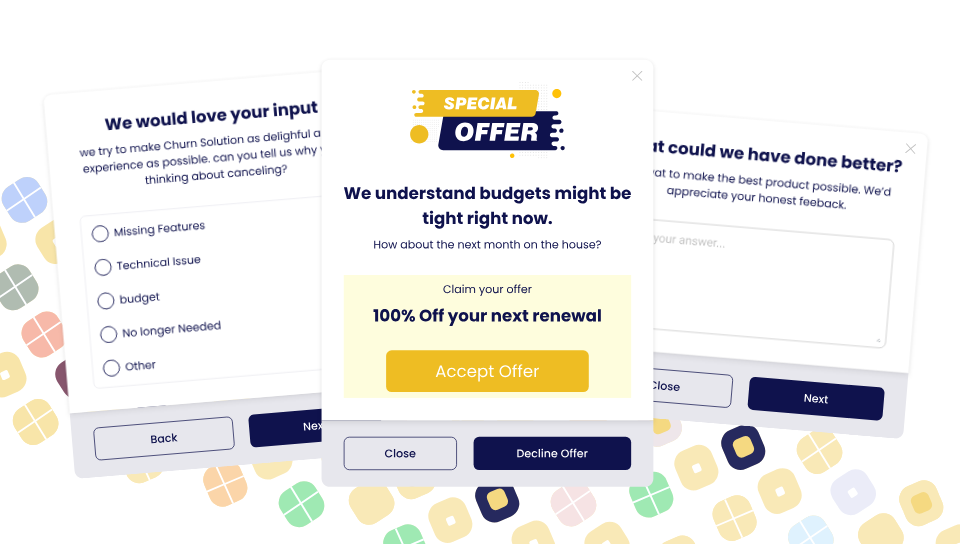
A cancel button lets customers leave. A cancel flow gives them a reason to stay.
With a plain cancel button, customers leave in one click and you never learn why. Churn Solution adds a segmented cancellation flow on top of Paddle, while Paddle stays your billing system and merchant of record.
A plain cancel button
- One click to cancel, no reason asked
- No offers to change their mind
- The same experience for every customer
- No insight into why customers leave
Paddle + Churn Solution
- Branded, multi-step cancellation flows
- Personalized offers by plan, tenure and reason
- Built-in cancellation survey and feedback form
- Reporting on cancellations prevented and revenue saved
How it works with Paddle
- 1
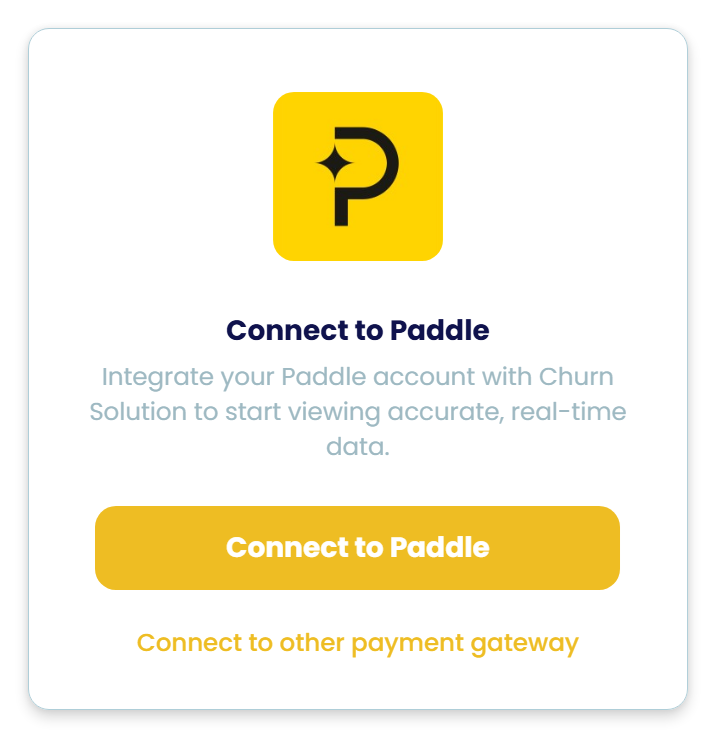
Connect Paddle to Churn Solution
In your Paddle dashboard, go to Developer Tools → Authentication and create an API key named "Churn Solution". Paste it into Churn Solution and click Connect. Your subscriptions and plans sync right away, and your first flows are ready to launch.
- 2
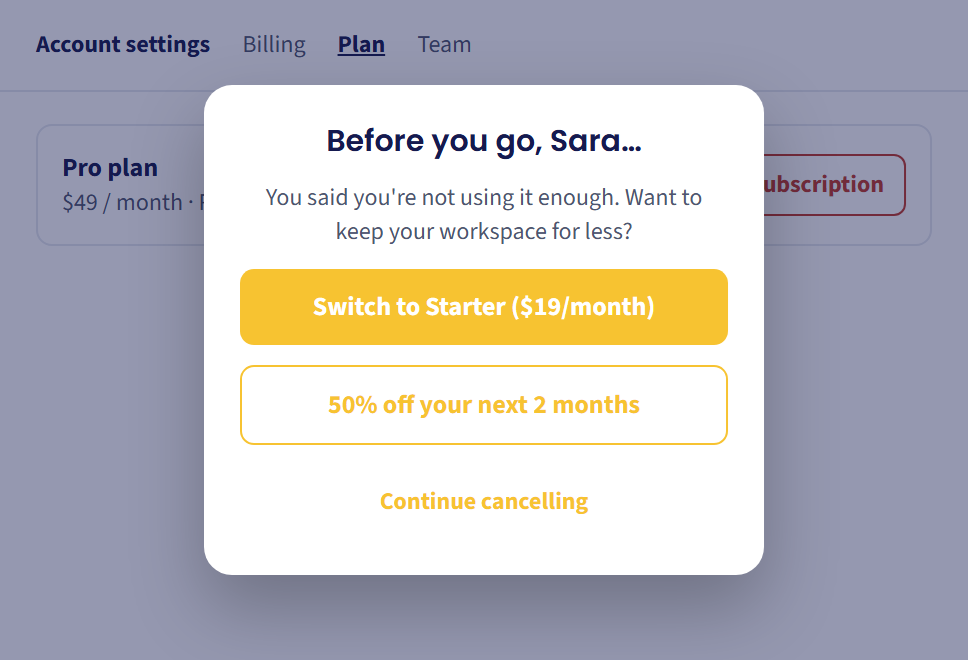
Customers see a flow made for them
When a customer clicks cancel, Churn Solution asks why and shows a personalized offer, like pausing, a discount or switching to a cheaper plan. Whatever they accept is applied to their Paddle subscription instantly. No manual work for your team.
- 3
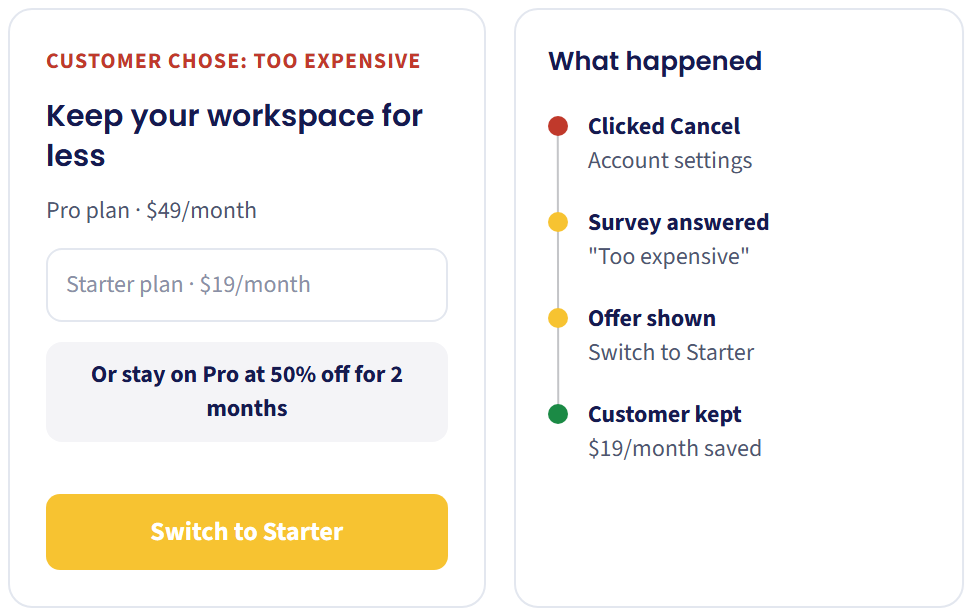
Offer the right plan
Customers who say it's too expensive don't have to leave. Offer a cheaper plan or a discount on their current one, and keep them paying through Paddle instead of losing them completely.
- 4
Every segment gets its own flow
New customers, long-time customers and every plan get their own cancellation flow, with the survey, feedback form and offer that fit them. It's all created for you when you connect Paddle.
- 5
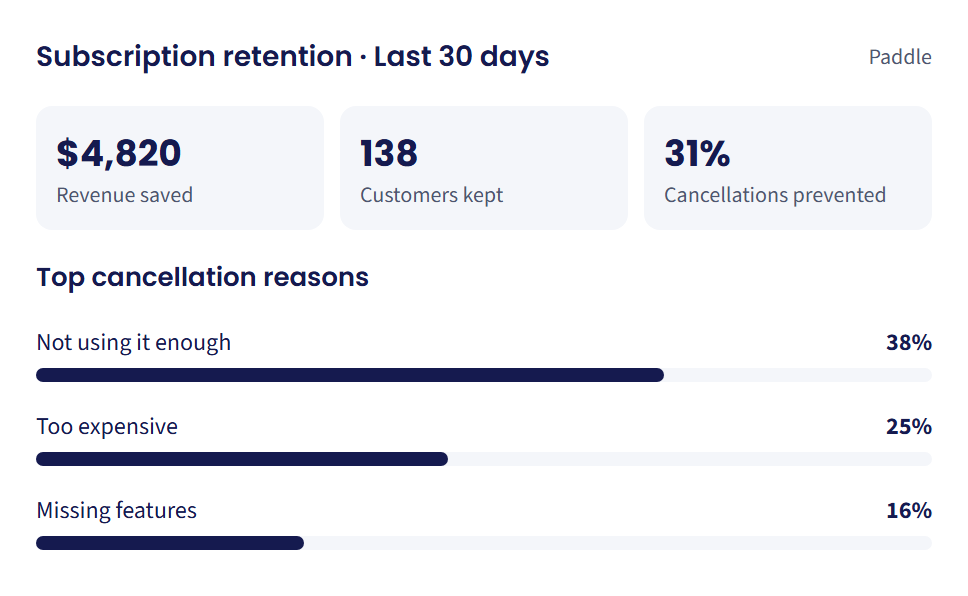
Access business insights
See revenue saved, customers kept and cancellations prevented. Every cancellation reason is linked to a plan, so you know which features, prices or plans make customers leave.
Paddle retention offers, ready to go
Offers that change billing are applied to the Paddle subscription the moment a customer accepts them. Churn Solution only changes what you've set up, so everything else in Paddle stays untouched.
| Offer | What happens |
|---|---|
| Pause subscription | The Paddle subscription pauses for the period you choose, then resumes automatically |
| Apply discount | A discount is applied to the customer's Paddle subscription |
| Switch plan | The customer moves to a better-fit plan in Paddle |
| Switch plan + offer | A plan change paired with a discount, applied together in Paddle |
| Extend free trial | Extra trial days are added before the first charge |
| Contact support | The customer reaches your team by email or WhatsApp before cancelling |
| Send to page | The customer is sent to any page you choose, like an offer or help article |

Risk-Free, Money Back Guarantee!
If we don't exceed our fee in revenue saved within 3 months, you get a full refund. See our Terms.
Hear From Our Partners

“Overall, we are very happy with the service at Churn Solution. It
has cut down significantly on our time spent managing cancellation
requests. And with the reporting functionality we can quickly
identify customers that we may want to follow up with to discuss
further.
The addition of A/B testing has been extremely helpful as well. We
are still in the process of making changes to our flows based on
the incoming data, but have learned a lot so far. Our team is
excited to continue using the service to see the results we can
achieve. Thanks for your help so far!”

“Churn Solution has become an important part of how we manage
retention at QuizPlus. We use it across our cancellation flows,
payment recovery, and winback campaigns to better understand why
customers are leaving and give them a reason to stay.
I'd definitely recommend Churn Solution to subscription businesses
looking to improve their retention and take a more proactive
approach to reducing churn.”
Calculate Your Potential Savings with Our Churn Reduction ROI Calculator
Discover how much you can save by reducing customer churn with our ROI calculator.
Want the full implementation details?
Step-by-step setup guide for Paddle: creating your API key, connecting it to Churn Solution, supported offers and testing in Paddle sandbox.
Paddle cancellation flow FAQs
Everything you need to know about using Churn Solution with Paddle. Still have questions? Talk to our team.
A cancellation flow tool for SaaS and digital businesses that bill with Paddle. It adds segmented cancellation flows, a cancellation survey, a feedback form and retention offers, and applies accepted offers directly to the Paddle subscription.
Paddle Billing. Paddle Classic is not supported.
Replace the plain cancel button with a cancellation flow that asks customers why they're leaving and shows them a relevant offer, like a pause, a discount or a cheaper plan. Churn Solution does this for Paddle out of the box.
Less than 30 minutes. Create a Paddle API key, paste it into Churn Solution, review your ready-made flows and go live, usually on the same day.
For one step only. Connecting, building flows and setting offers need no code. A developer is needed once, to point your app's cancel button at the cancellation flow, and our team helps with it.
Yes. Flows are segmented automatically by Paddle plan, how long someone has been a customer and the cancel reason they give. Each segment gets its own offer.
Yes. Both come ready to use in every flow, so you capture why customers leave from day one without building anything.
Pause subscription, apply discount, switch plan, switch plan with an offer, extend free trial, contact support by email or WhatsApp, and send to any page.
The offer is applied to their Paddle subscription automatically, the moment they accept it.
Only what you tell it to. It applies the retention offers you've set up when a customer accepts them. Nothing else in your subscriptions or customer data changes.
Create the key under Developer Tools → Authentication in Paddle, name it "Churn Solution", set it to never expire and give it write access, so accepted offers can be applied to subscriptions.
No plugin needed. You only create a Paddle API key and paste it into Churn Solution.
Yes. You can test your flows and offers in Paddle sandbox before going live. The setup guide walks you through it.
Two options. Pay as we save: 25% of the revenue we save, with a $50 monthly minimum. Or a custom fixed monthly price based on your monthly recurring revenue.
Yes. If we don't exceed our fee in revenue saved within 3 months, you get a full refund.
Explore all our integrations
Churn Solution connects to your billing provider and the rest of your stack.
 Stripe
 Braintree
 WooCommerce
 Paid Memberships Pro
 RecurPay
 HubSpot
 Omnisend
 Slack
Slack Zapier
 Claude MCP
 ChatGPT MCP
 VS Code MCP
 Cursor MCP
 Webhooks & API
Ready to Take Your Retention to the Next Level?
Schedule a call with our team today to discuss your current approach and see how we can help you improve retention.
- Expert guidance
- Effortless Setup, Maximum Impact
- Proven Success with Leading Brands