






Paddle

How to connect Paddle and Churn Solution:
Once you sign up for a Churn Solution account, you can connect your company with your Paddle account through our Integrations Page. You'll need a Paddle API key to connect your Paddle account.
Step 1: Generate an API Key in Paddle
- In your Paddle dashboard, go to Developer Tools → Authentication.
- Click + New API Key.
-
Set the Name to
Churn Solution. - Set Expires at to Never expires, so your connection isn't interrupted when a key expires.
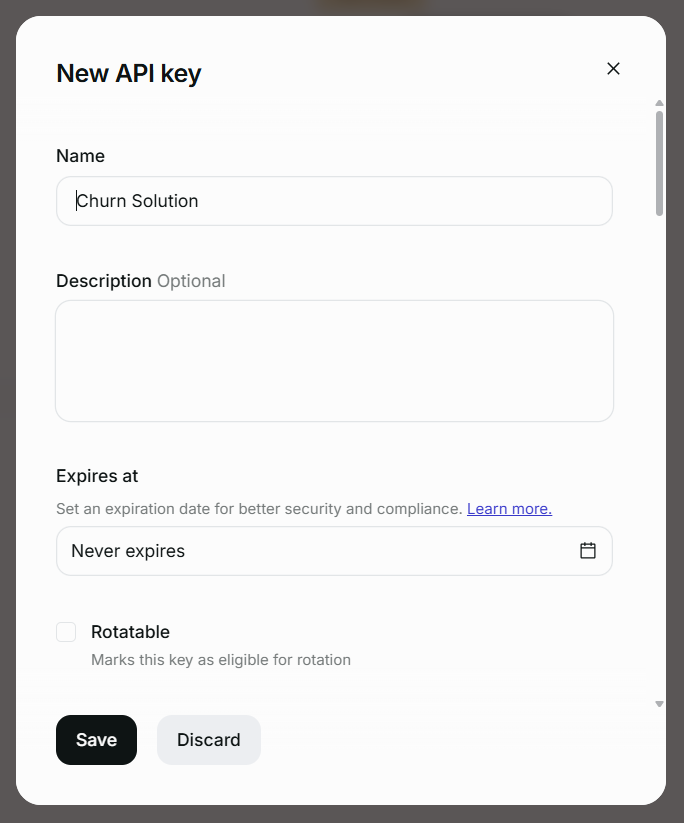
- Under Permissions, grant write access to all permissions. Churn Solution uses these to read and update your customers, subscriptions, products, prices and discounts, and to apply pauses, discounts and cancellations on your behalf.
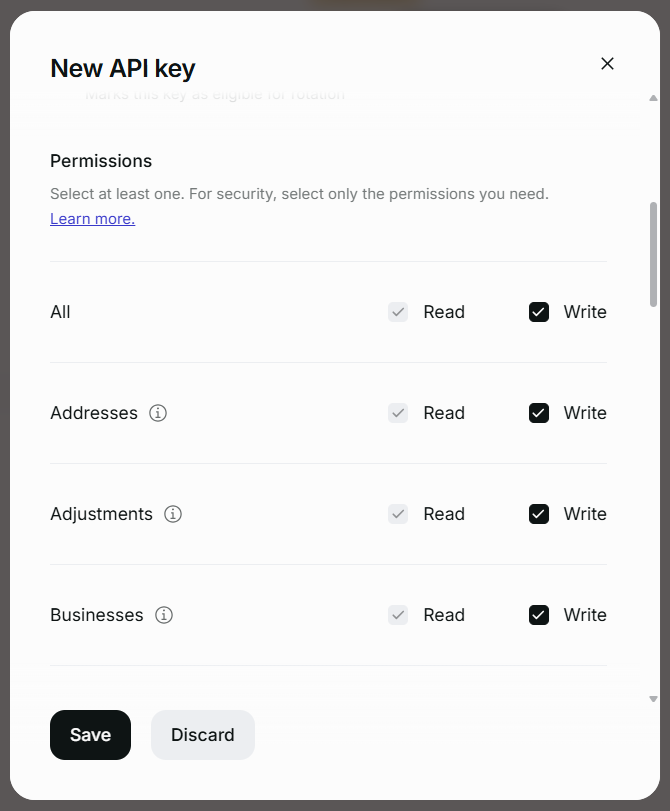
- Click Save.
Step 2: Copy the API Key
Paddle only shows the key once. Copy it and store it somewhere safe before leaving the page.
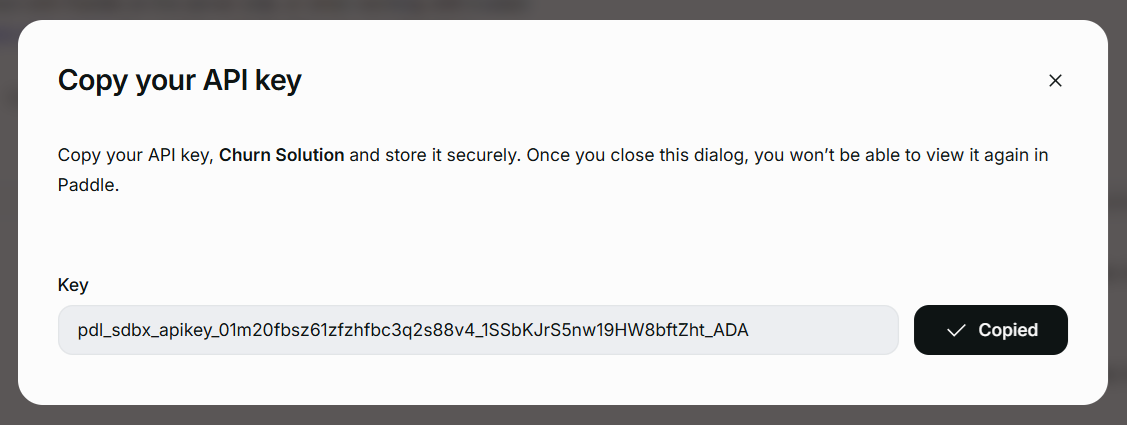
Step 3: Add the API Key to Churn Solution
The API key can be connected to your Churn Solution account on the Billing Provider Settings page, or via Connect to Paddle on the dashboard.
Paste the key, give the connection a name, and click Connect Paddle.
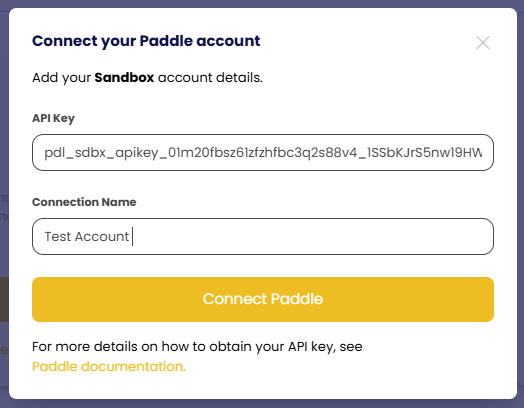
After your account is successfully connected, you'll see a label indicating that the connection was successful and your data will begin to be imported into Churn Solution.
How is Paddle used with Churn Solution?
Audience Segmentation
With segmentation, you can target specific customers based on subscription attributes and give them customized cancel flows.
Churn Solution imports Customers, Subscriptions, Discounts, Products and Prices from Paddle.
Available segmentation attributes
- Plan
- Billing Interval
- Subscription Status
- Subscription Price
- Subscription Start Date
- Subscription Age
- Subscription Discounts
- Product
- Customer Address
- Session Date
Updating Customer Subscriptions
When a customer goes through your cancellation flow and accepts an offer, Churn Solution manages the billing updates for you. All offer types are supported natively by Paddle:
- Pause Subscription
- Apply Discount
- Switch Plan
- Switch Plan with Offer
- Contact Support
- Send to Page
- Extend Free Trial