

Omnisend
Integrate Omnisend with Churn Solution so each cancellation session is exported to the customer's Omnisend contact timeline.
On this page
How to connect Omnisend and Churn Solution
Connect your Churn Solution account to your Omnisend store through the Integration page. After connecting, each cancellation session is exported to Omnisend as a custom event on the matching contact.
Step: Connect Omnisend. Click the button, then authorize Churn Solution to access your Omnisend account.
Connect OmnisendChurn Solution can then create and update events on your Omnisend contacts. No code or tag installation is needed.
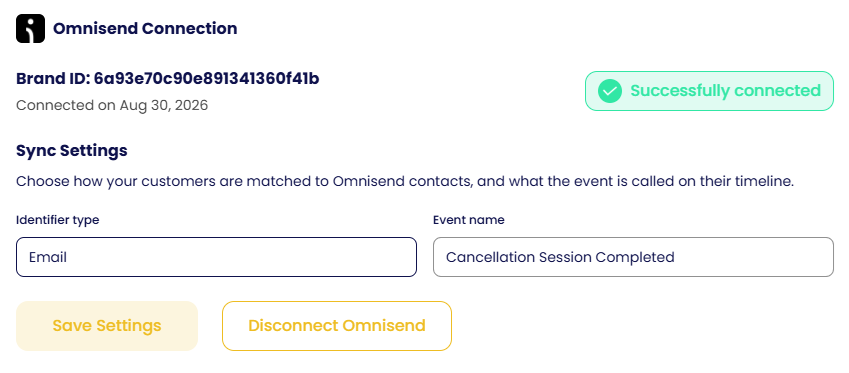
Sync settings
- Identifier type: set to Email, which matches the customer's email to an existing Omnisend contact.
- Event name: the label shown on the contact timeline and in Omnisend automation triggers. The default is Cancellation Session Completed; you can rename it.
- Click Save Settings to apply changes. New settings apply only to sessions exported after saving.
Cancellation session events
Each completed cancellation flow session is sent to Omnisend as a custom event on the matched contact. Open any event on the timeline to see its details.
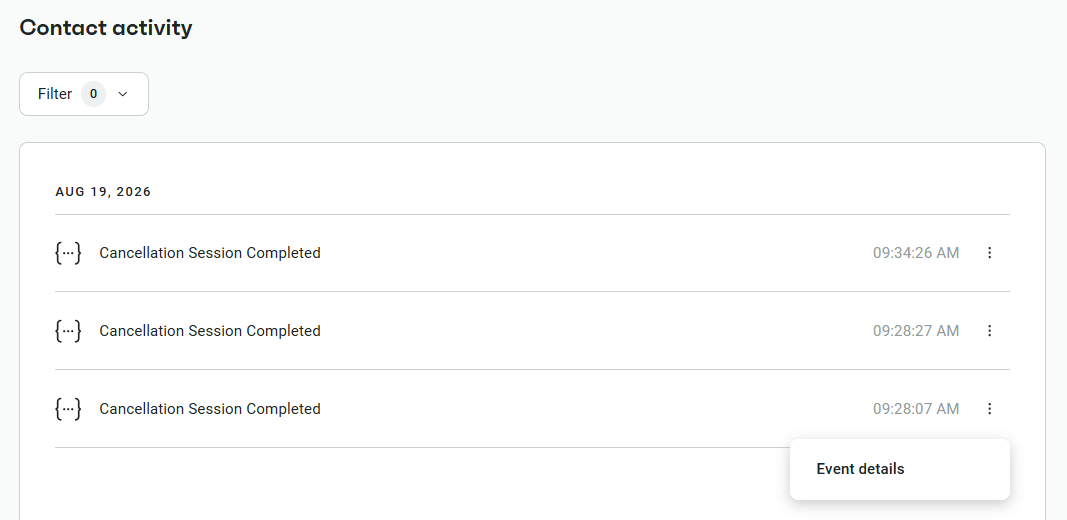
The event properties vary based on how the session ended. Examples:
Coupon accepted
accepted_offer: COUPON
cancel_reason: Budget
flow_name: test
offers_shown: PAUSE;COUPON
outcome: COUPON
plan: $100.0/year
session_id: 3000854
subscription_id: sub_1UA5PRCKwqHtcT31jtNErQna
subscription_status: ACTIVE
Abandoned
cancel_reason: No Longer Needed
flow_name: Primary Cancellation
offers_shown: PAUSE
outcome: ABANDONED
plan: $900.0/month
session_id: 3175439
subscription_id: sub_1UBWHmA9K5AU7MO2RasT2wtv
subscription_status: TRIALING
Cancelled
cancel_reason: Technical Issues
flow_name: test
offers_shown: PAUSE
outcome: CANCELLED
plan: $100.0/3 month
session_id: 3000868
subscription_id: sub_1UA5PRCKwqHtcT31jtNErQna
subscription_status: ACTIVE
Event properties
| Property | Description |
|---|---|
accepted_offer |
The offer the customer accepted. Possible values: PAUSE, COUPON, TRIAL_EXTENSION, PLAN_SWITCH, PLAN_SWITCH_WITH_COUPON, CONTACT, SEND_TO_PAGE. Omitted if the customer cancelled or abandoned. |
cancel_reason |
The exit survey reason selected (e.g. Budget, No Longer Needed, Technical Issues). Omitted if no reason was submitted. |
flow_name |
The name of the cancellation flow used. |
offers_shown |
All offers shown during the session, separated by semicolons (e.g. PAUSE;COUPON;TRIAL_EXTENSION). |
outcome |
How the session ended. Possible values: PAUSE, COUPON, TRIAL_EXTENSION, SWITCH_PLAN, SWITCH_PLAN_WITH_COUPON, CONTACT, SEND_TO_PAGE, CANCELLED, ABANDONED. |
plan |
The plan and billing interval at session time (e.g. $100.0/year). |
session_id |
The unique Churn Solution ID for the session. |
subscription_id |
The subscription ID from the payment gateway. |
subscription_status |
The subscription status at session time (e.g. ACTIVE, TRIALING). |
- Trigger an automation when the event arrives, then branch on
outcometo send different messages to saved and cancelled customers. - Build segments from event properties, such as customers with a specific
cancel_reasonor those who paused instead of cancelling. - Personalize emails and SMS using the plan, offer, or reason from the session.
- Automatically add cancelled customers to win-back campaigns.