Insights
See what each campaign brings back, down to every message sent.
On this page
Core metrics
| Metric | Meaning |
|---|---|
| Reactivated revenue | Revenue from customers who came back, split by email and SMS |
| Reactivated customers | Unique customers reactivated, split by channel |
| Campaigns sent | Messages sent, split by channel |
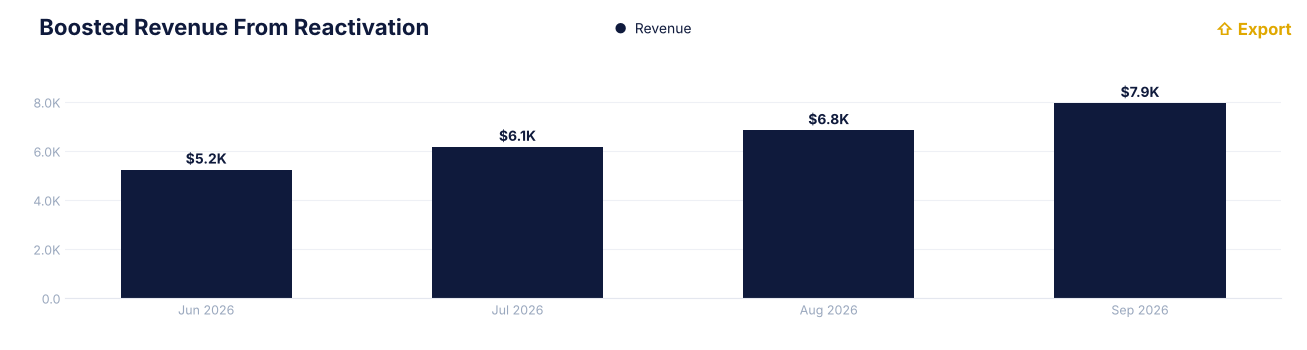
Boosted revenue from reactivation
Revenue from reactivated subscriptions per month. Exportable.
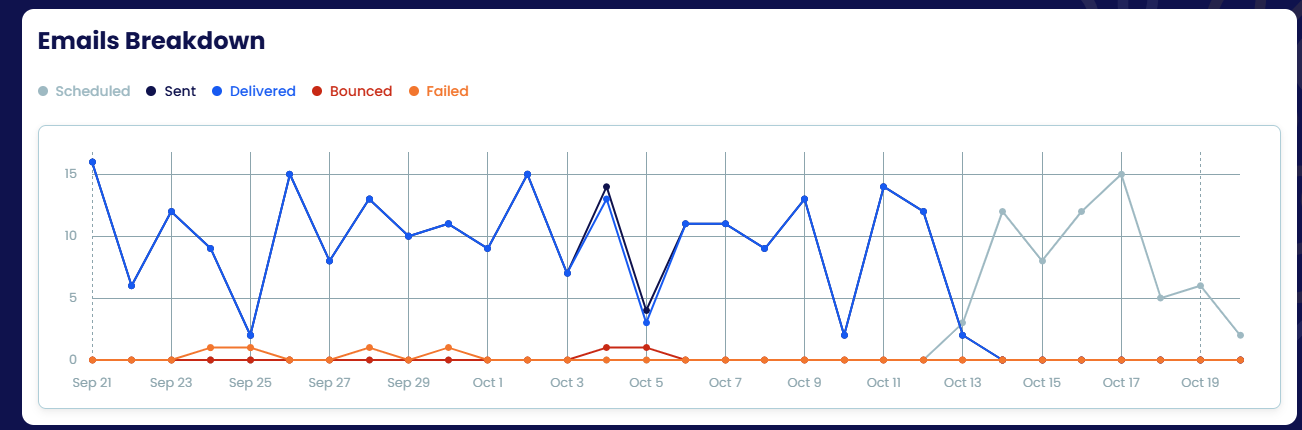
Emails breakdown
Reactivation emails per day — scheduled, sent, delivered, bounced and failed — so you can see upcoming volume and delivery health.
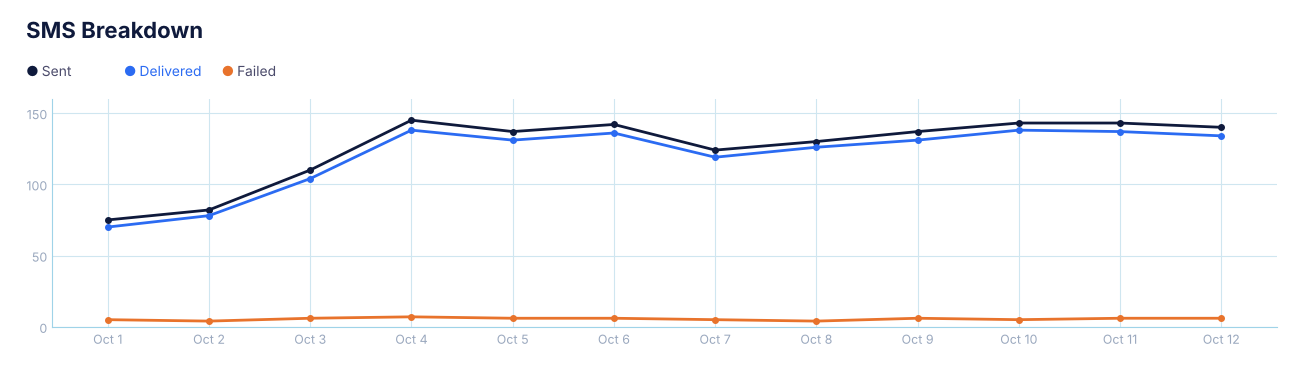
SMS breakdown
SMS per day — sent, delivered and failed.
Detailed tracking
Every customer in a campaign is listed with their status (reactivated, in progress), one icon per step showing whether each message was sent, delivered, opened or failed, the cancellation date, their plan and the reactivation date. Click View Details for the full timeline; filter by campaign, step, channel and date.
