Smart retries
Retry failed charges when they are most likely to succeed, not on a fixed schedule.
On this page
How it works
Three steps, running every hour, in the background. No webhooks to handle, no queues to monitor — Smart Retries plugs into your existing billing provider and quietly does its job.
- Turn Smart Retries on
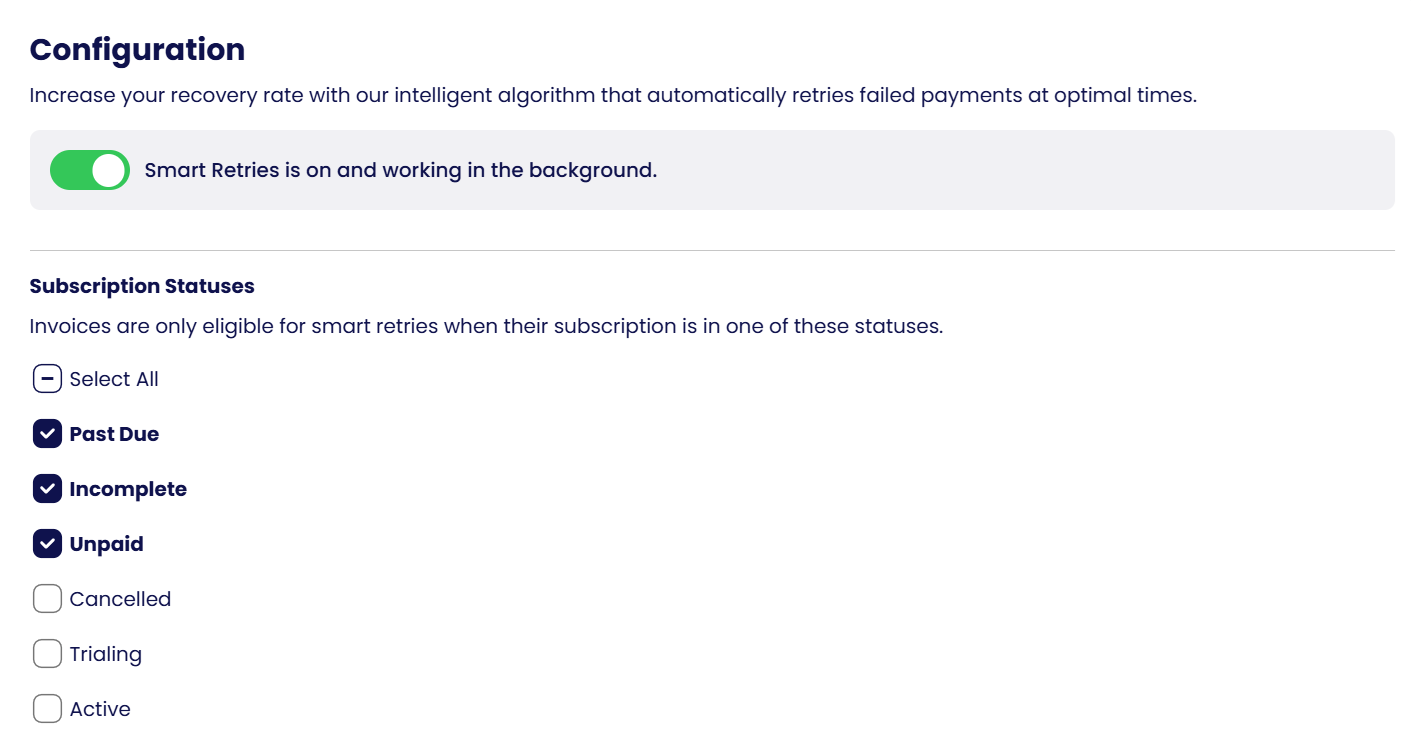
Flip the toggle in your dashboard and set the configuration: retry limits, eligible statuses and timezone. The status reads “Smart Retries working in the background”.
- Retry at the best time
The retry fires automatically at the chosen window. If it succeeds — done. If not, the model updates and re-scores the next window.
- Track results in the dashboard
Watch recovery rate, recovered revenue and per-customer retry timelines update in real time. Full analytics, no spreadsheets — see Analytics.
Each failed charge is scored using the decline code, issuer behaviour, time of day and the customer's history, and retried at the predicted-best moment. Smart Retries works alongside Stripe's and WooCommerce Subscriptions' own retries and skips any attempt that would coincide with one, so a customer is never charged twice.
Settings
Everything is configured on the Payment Recovery → Smart Retries page. Retries themselves are scheduled by Churn Solution at the optimal time for each invoice; these settings decide which invoices qualify and how far the retries go.
Smart Retries toggle
Switch Smart Retries on or off. When it is on, the banner reads “Smart Retries is on and working in the background” and every new failed invoice is scored and scheduled automatically.
Subscription statuses
Invoices are only eligible for smart retries when their subscription is in one of the selected statuses. Past Due, Incomplete and Unpaid are on by default; you can also include Cancelled, Trialing or Active.
Invoice scope
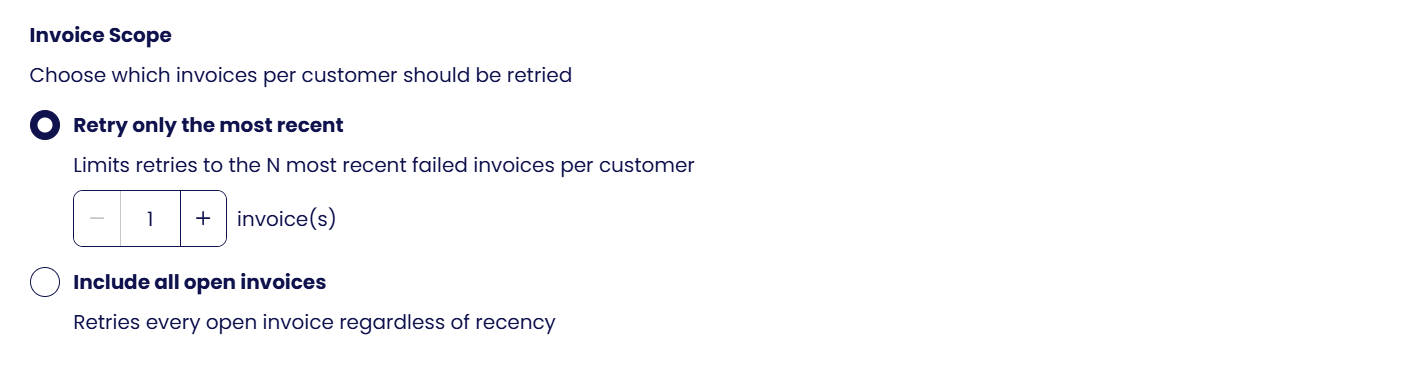
Choose which invoices per customer should be retried: Retry only the most recent limits retries to the N most recent failed invoices per customer (1 by default), or Include all open invoices retries every open invoice regardless of recency.
Retry limits
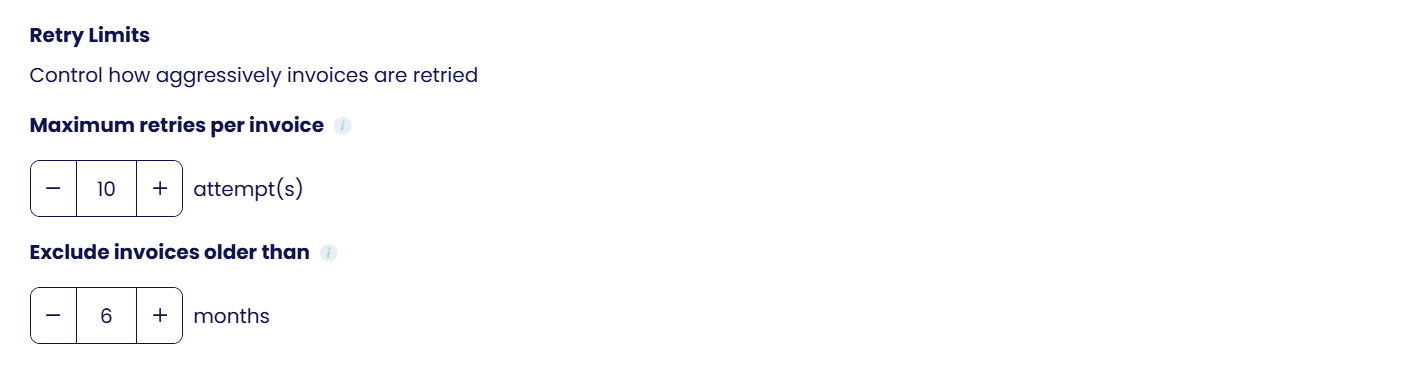
Control how aggressively invoices are retried: Maximum retries per invoice (8 attempts by default) stops retrying an invoice after that many attempts, and Exclude invoices older than (6 months by default) leaves old invoices alone.
Default timezone
Used for time-of-day scoring when the customer has no timezone set, so retries land at the optimal local time.
