Analytics
Everything on the dashboard, from the three core numbers to individual sessions. Filter any section by time period, user plan and flow, and export any chart.
On this page
Core metrics
| Metric | Meaning |
|---|---|
| Boosted revenue | Revenue your cancellation offers have added so far, with the average boost per saved customer underneath |
| Customers saved | Unique customers who entered a flow and did not cancel, with the share who have since paid at least one more invoice (reactivation rate) |
| Sessions | Cancellation sessions started, with the save rate (sessions that ended without a cancellation) |
A plain-language summary under the cards reads the numbers back to you, for example: "51 % of your 6K cancellation sessions resulted in the customer not cancelling. This kept 3K customers subscribed longer; 19 % of them have paid at least one invoice since."
Revenue breakdown
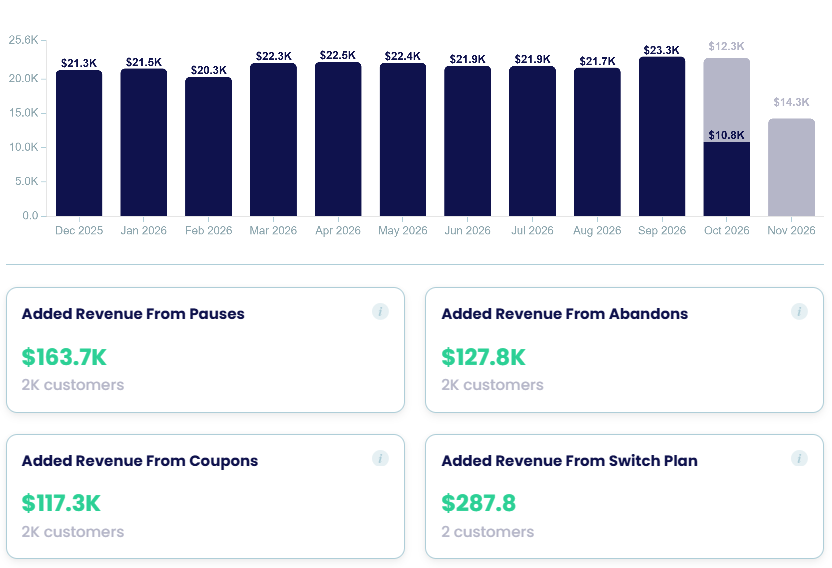
- Average boost after each offer: pause, coupon, abandon, trial extension, switch plan, switch plan with coupon, each with its reactivation rate.
- Boosted revenue chart: realised vs forecasted boosted revenue per month, exportable.
- Added revenue from abandons, trial extensions, pauses and coupons, with the number of customers behind each.
At-risk revenue and watchlist
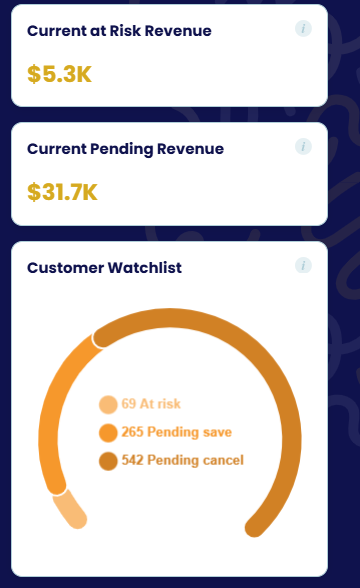
- Current at-risk revenue: recurring revenue of customers who are mid-flow or have a pending cancellation.
- Current pending revenue: revenue waiting on a pending save (for example a scheduled resume).
- Customer watchlist: customers at risk, pending save and pending cancel, with a link to each.
- Recommendation card: suggests the next step from your data, such as publishing a reactivation flow when customers have cancelled recently.
Sessions
- Saved sessions list the latest sessions with the customer, outcome (saved, cancelled, abandoned…) and plan; open any one to see its steps or play the recording.
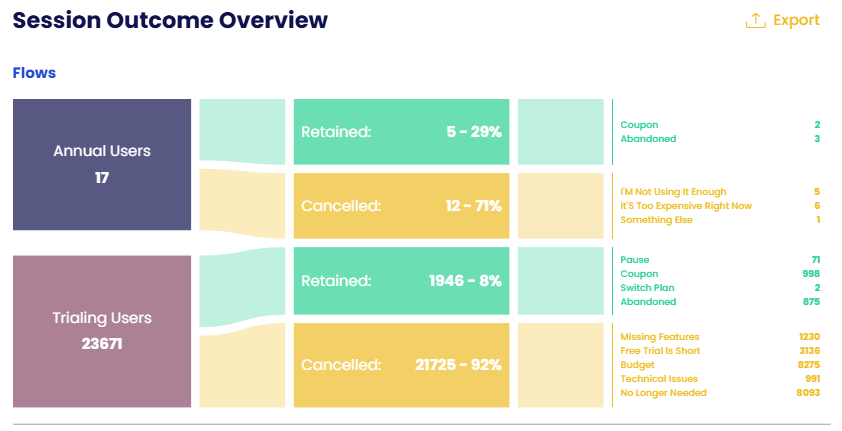
- Session outcome overview: a flow chart from each cancellation flow to Retained / Cancelled, then to the offer accepted (pause, coupon…) or the reason given. Toggle flows on and off.
Cancellation reasons
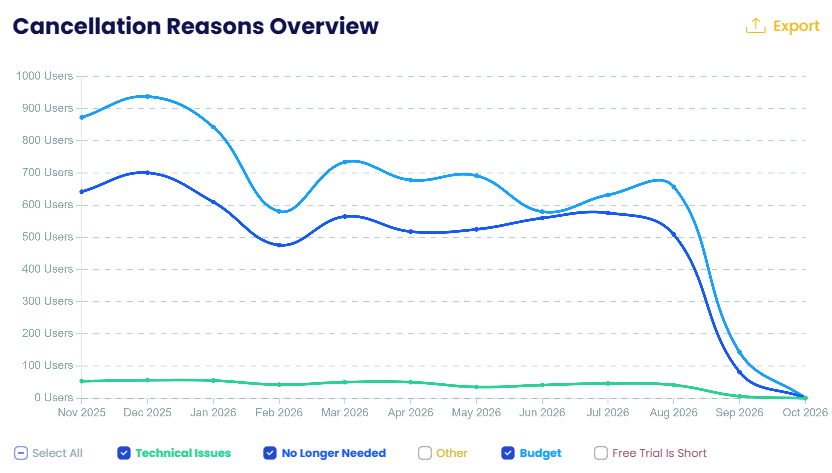
Cancellation reasons overview charts how many customers gave each reason per month, so you see which reasons are growing. Toggle individual reasons; export the data.
Offers performance
For each offer (pause, contact, each discount…), a bar of accepted vs declined with the exact counts on hover. This is where you see which offers customers actually take.
Feedback analysis
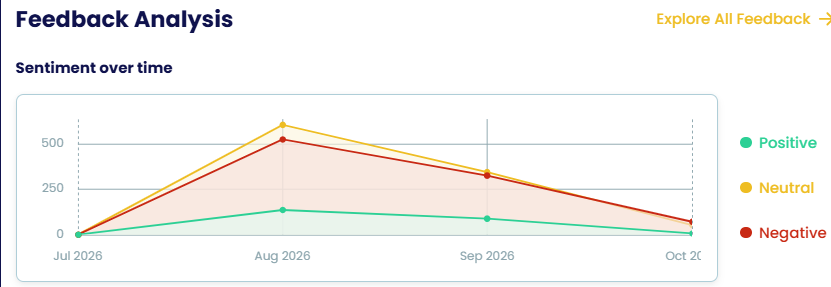
- Sentiment over time: positive, neutral and negative feedback per month.
- Feedback cards grouped by theme, for example Positive feedback and Refund requests, each showing the customer and their comment, with a link to explore all feedback in AI feedback analysis.
Filters, test mode and export
- Filter the whole page by time period, user plan and flow; reset in one click.
- A Test mode badge shows when you are looking at test-connection data.
- Every chart has an Export button. The same numbers are available to your AI assistant through the MCP Server.