Churn Metrics
A churn report generated automatically from your connected Stripe account, updated continuously, so you understand the status of your account: how much revenue you generate, how much you lose, why, and where the recovery opportunity is.
Revenue and churn metrics
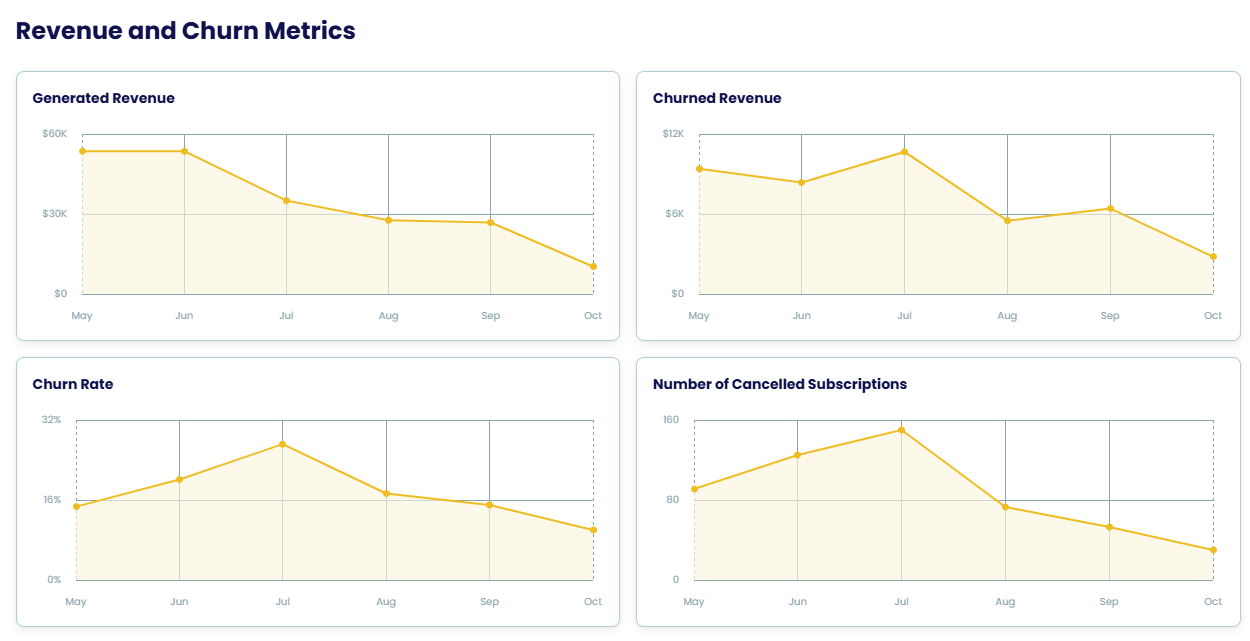
Four charts over the last months: Generated revenue, Churned revenue, Churn rate and Number of cancelled subscriptions.
Churned revenue breakdown
Churned revenue split into the two kinds of churn, so you can see which one is costing you more:
| Metric | How it's calculated |
|---|---|
| Voluntary churn revenue | Revenue lost due to a customer actively choosing to cancel their subscription. |
| Involuntary churn revenue | Revenue lost due to a customer's subscription ending from failed payments or billing issues, such as expired cards or insufficient funds, without the customer taking direct action. |
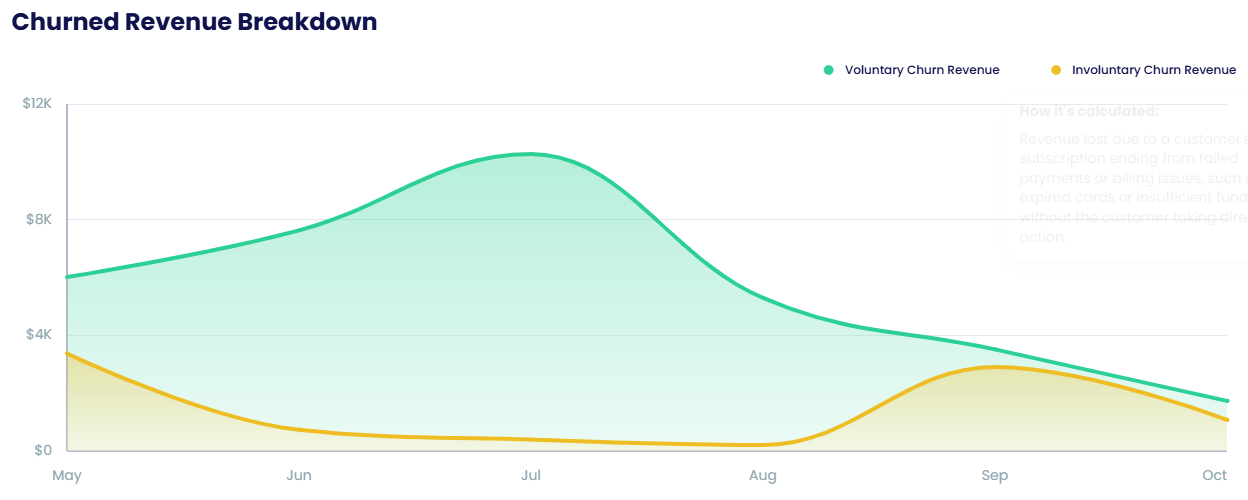
Voluntary churn is what Cancellation Flows and Reactivation Campaigns address; involuntary churn is what Payment Recovery addresses.
Churn volume by decline code
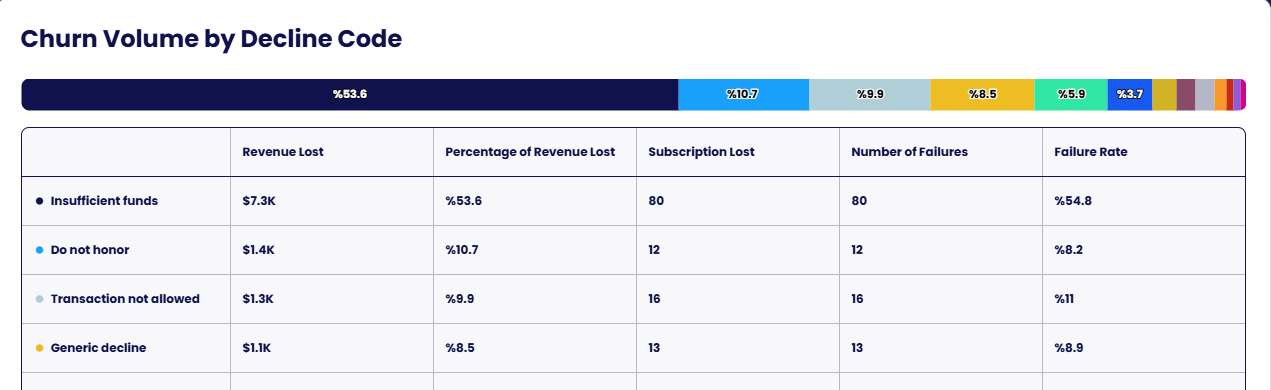
For involuntary churn, a breakdown by the decline code returned by the card network — insufficient funds, do not honor, transaction not allowed, generic decline and more — with the revenue lost, its share of all lost revenue, subscriptions lost, number of failures and failure rate for each code.
Setup
Churn Metrics is available if you are using Stripe. Log in and connect your Stripe account under Settings → Integration (see Stripe); the report generates within minutes and updates continuously.