MCP Server
Connect your AI to Churn Solution. The Churn Solution MCP server connects AI tools such as Claude and ChatGPT to your account. Once connected, the AI can read your cancel flow metrics, save rates, cancellation reasons, offer performance and sessions, with the same read access as your dashboard.
On this page
Setup
Free, Pro and Max plans
- Discover connectors
Go to Settings → Connectors in Claude and click Discover.
- Connect Churn Solution
Search for Churn Solution and click Connect.
- Sign in
Sign in to Churn Solution.
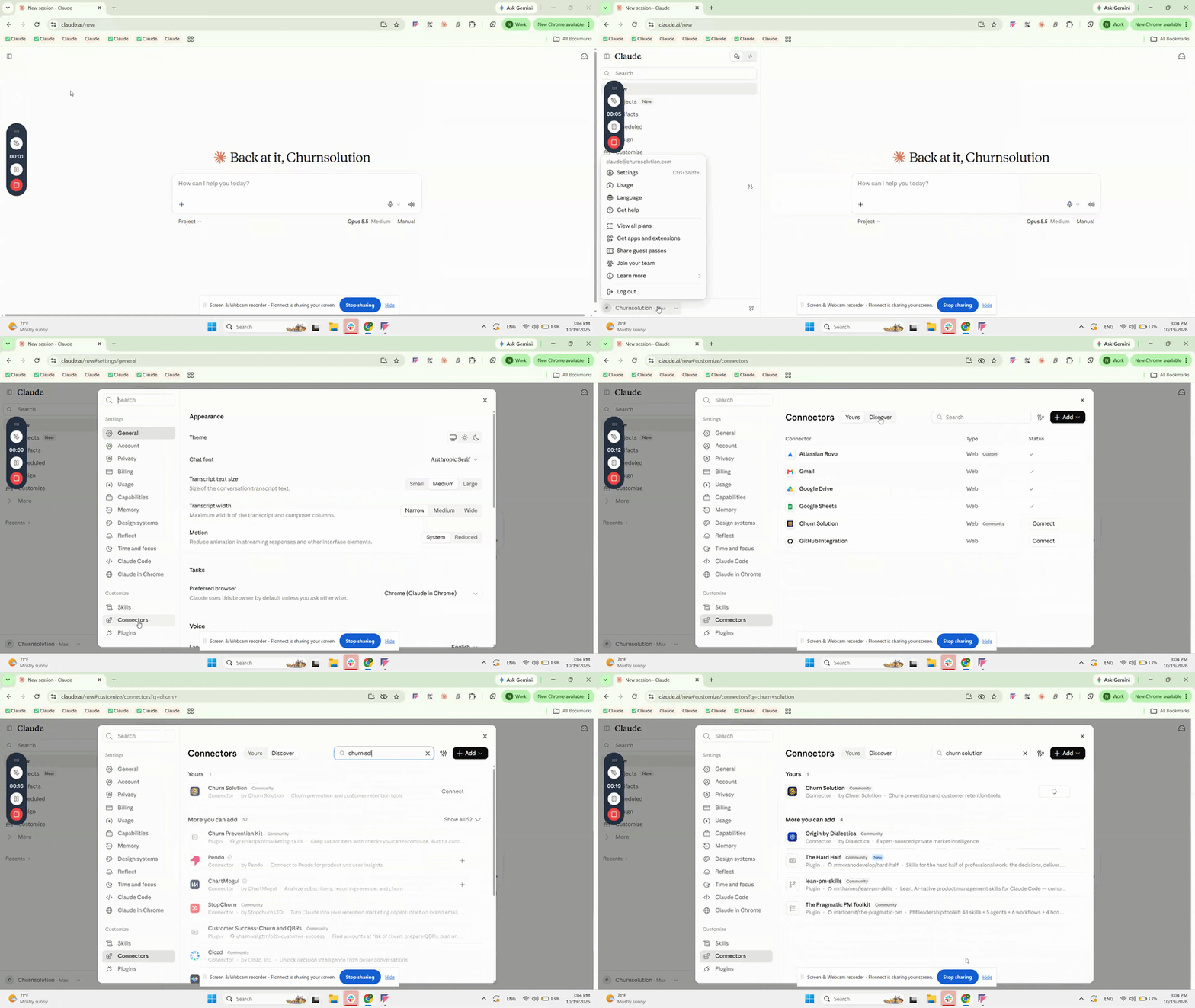
Team and Enterprise plans
An Owner adds the connector once, then each member connects individually.
For Owners
- Open organization connectors
Go to Organization settings → Connectors.
- Add a custom connector
Click Add, then choose Custom → Web.
- Enter the server URL
Enter the URL below and click Add.
https://mcp.churnsolution.com
For members
- Open connectors
Go to Customize → Connectors.
- Connect
Find the Churn Solution connector and click Connect.
- Sign in
Sign in to Churn Solution.
Churn Solution is listed in the ChatGPT plugin directory, so there is nothing to configure.
- Browse the directory
Go to Settings → Plugins in ChatGPT and click Browse directory.
- Add Churn Solution
Search for Churn Solution and click Add.
- Sign in
Sign in to Churn Solution.
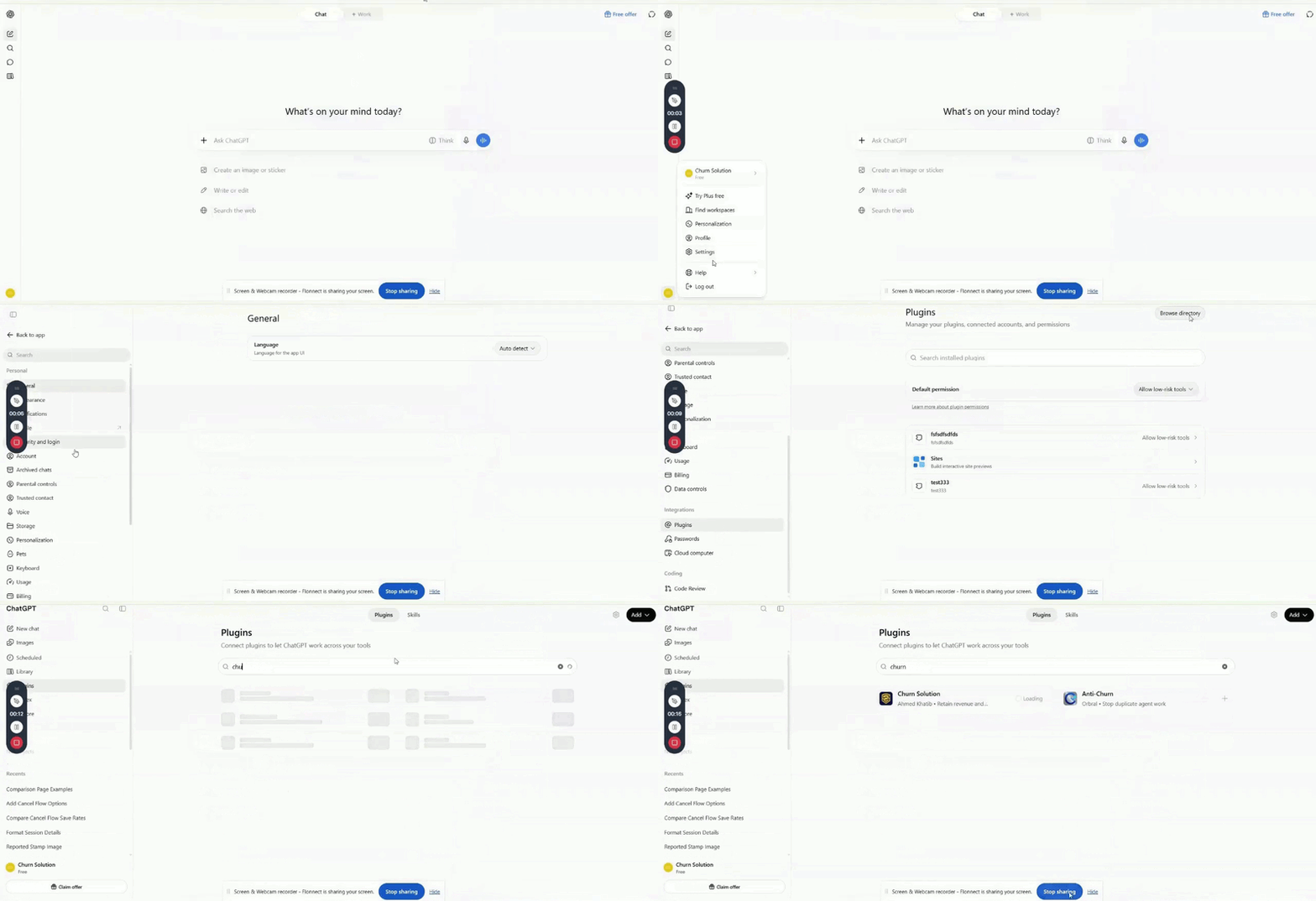
- Open MCP settings
Open View → Settings → Tools & MCP.
- Paste this configuration
{ "mcpServers": { "churnsolution": { "url": "https://mcp.churnsolution.com" } } } - Save and restart Cursor
The first time you use a Churn Solution tool, sign in.
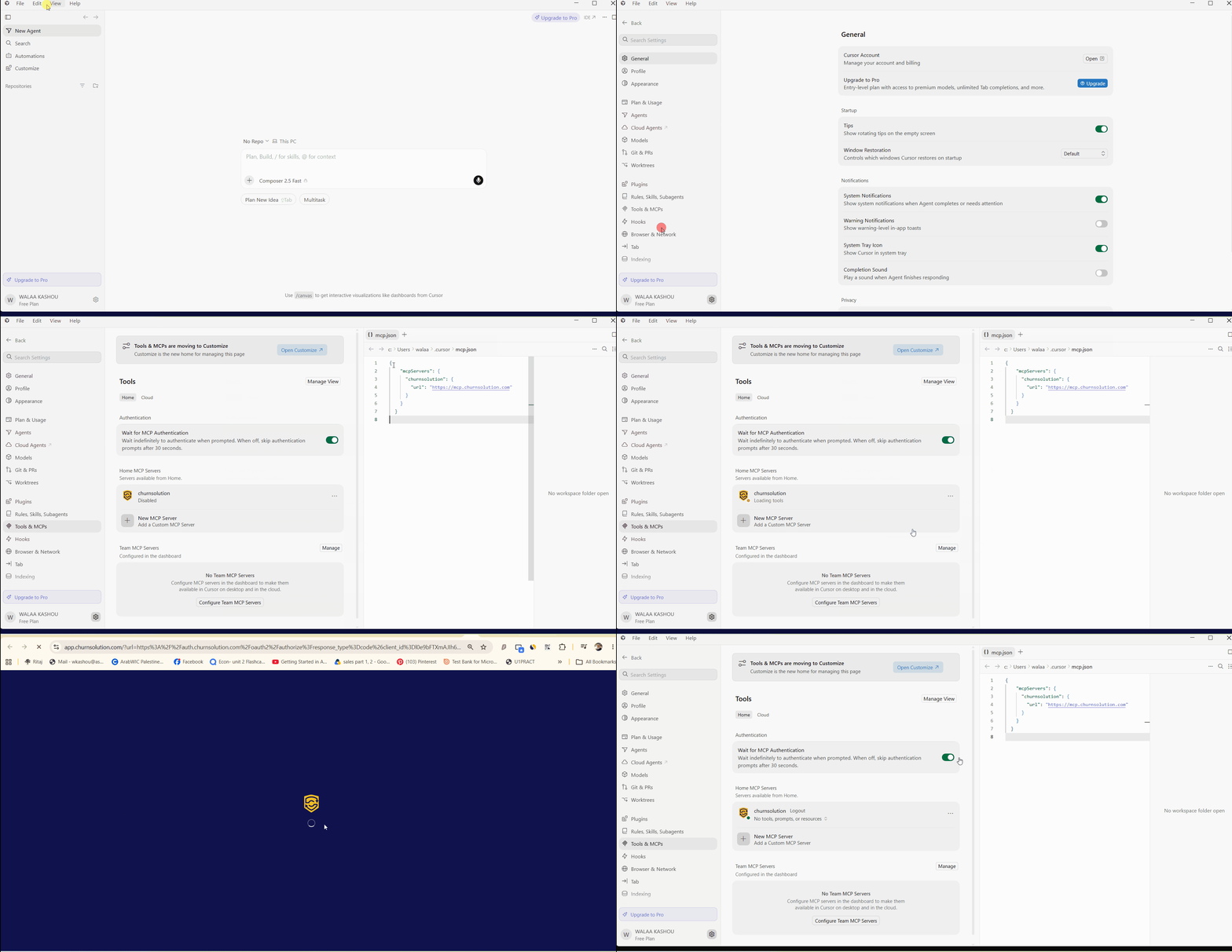
- Create
.vscode/mcp.jsonIn your workspace, create the file with this content.
{ "servers": { "churnsolution": { "type": "http", "url": "https://mcp.churnsolution.com" } } } - List servers
Open the command palette (
Cmd+Shift+Pon Mac,Ctrl+Shift+Pon Windows/Linux) and run MCP: List Servers. - Start and sign in
Start the Churn Solution server and sign in.
Available tools
Once connected, the AI tool can call these read-only tools. Access follows your dashboard permissions.
| Tool | Description |
|---|---|
get_cancel_flow_metrics |
Overall performance metrics for your cancel flows |
get_cancel_flow_outcomes_by_flow |
Cancellation outcomes broken down for one cancel flow |
get_cancel_flow_revenue |
Revenue retained and lost through cancel flows |
get_cancel_flow_save_rate |
Save rate for your cancel flows |
list_cancel_flow_cancellation_reasons |
Reasons customers gave for cancelling |
list_cancel_flow_cancellation_reasons_by_plan |
Cancellation reasons grouped by plan |
list_cancel_flow_offer_performance |
How retention offers performed within cancel flows |
list_connections |
Billing and data integrations connected to your account |
list_plans |
Plans configured on your account |
search_cancel_flow_sessions |
Search individual cancel flow sessions |