
WordPress
Integrate WordPress with Churn Solution. A no-code setup that connects Paid Memberships Pro or WooCommerce through the Churn Solution plugin.
On this page
How to connect WordPress and Churn Solution
Churn Solution makes it easy to integrate with your WordPress site, helping you reduce churn and manage subscriptions more effectively. With our simple, no-code setup, you can connect popular plugins like Paid Memberships Pro and WooCommerce, so you can start optimizing your membership or store experience in just a few clicks.
 Paid Memberships ProMemberships on WordPress, billed through Stripe.
 WooCommerceStores with the WooCommerce Subscriptions extension.
After installing the above plugin, you need to install the Churn Solution plugin to start managing and analysing churn:
Install Churn Solution pluginOnce you've installed the Churn Solution plugin on your WordPress site, the next step is to connect it to your company. Click Connect to Churn Solution. This will start the process of creating your company profile and retrieving your API key, which is essential for completing the integration.
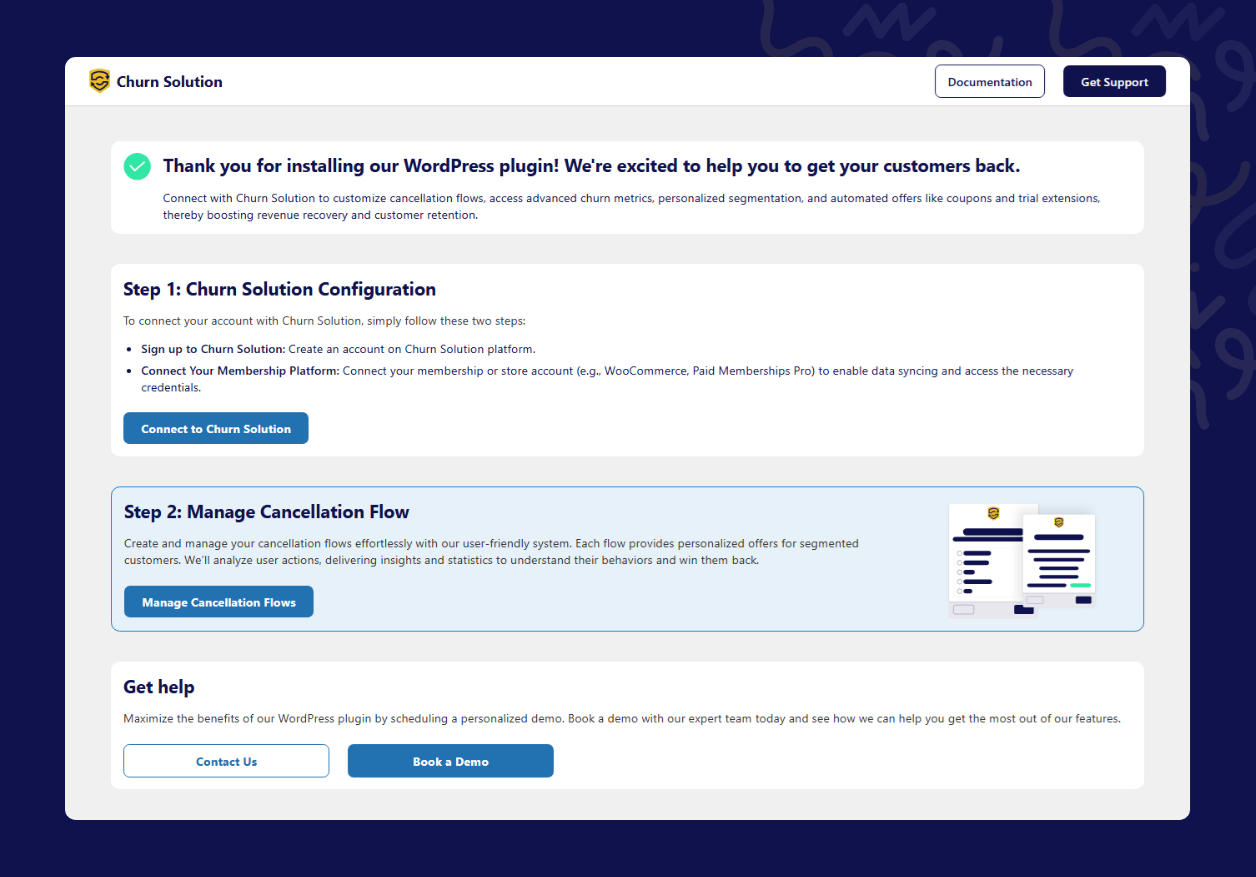
Depending on the plugin you're using, follow the relevant step below:
- If you're using Paid Memberships Pro: you'll need to link your Stripe account, which should already be connected to Paid Memberships Pro. This connection allows us to fetch your App ID, which is required to activate Churn Solution features.
- If you're using WooCommerce: you'll be prompted to enter your Consumer Key and Consumer Secret from your WooCommerce settings. These credentials are required to connect Churn Solution with your store and enable subscription actions on it.
After connecting your account, the plugin shows your API key and your App ID.
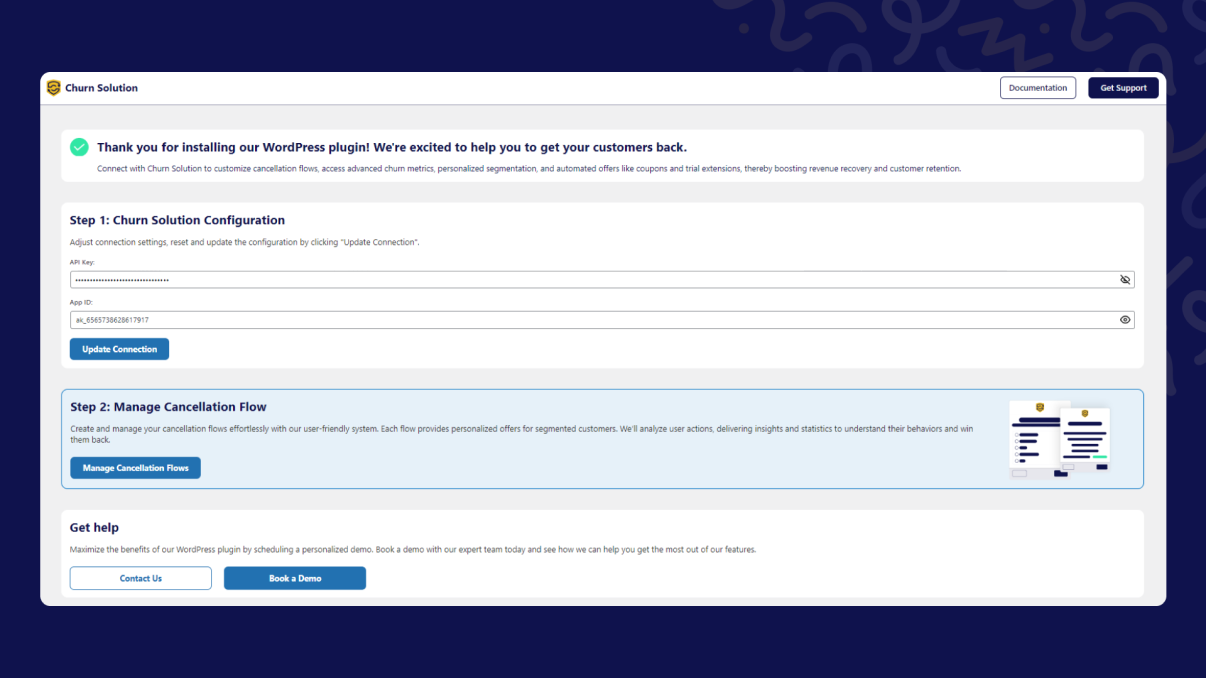
Once your account is connected successfully, click Manage Cancellation Flows. There, you can create customized cancellation flows tailored to your customers' needs. These flows are shown to your users when they try to cancel their subscription.
If you want to reset the configuration, you have two options: edit it manually, or click Update Configuration to refresh it with the new connection. This process overwrites the existing configuration.