Customer segmentation
Show a different cancellation flow to each group of customers.
On this page
The idea
Not every customer should see the same cancellation flow. A customer on a yearly Pro plan who has been with you for two years is worth a different offer than someone on a monthly trial who joined last week. Segmentation lets you describe a group of customers with conditions, and give that group its own flow with its own survey and offers. You can create as many segments and flows as you need; everyone who matches no segment sees your default flow.
How it works
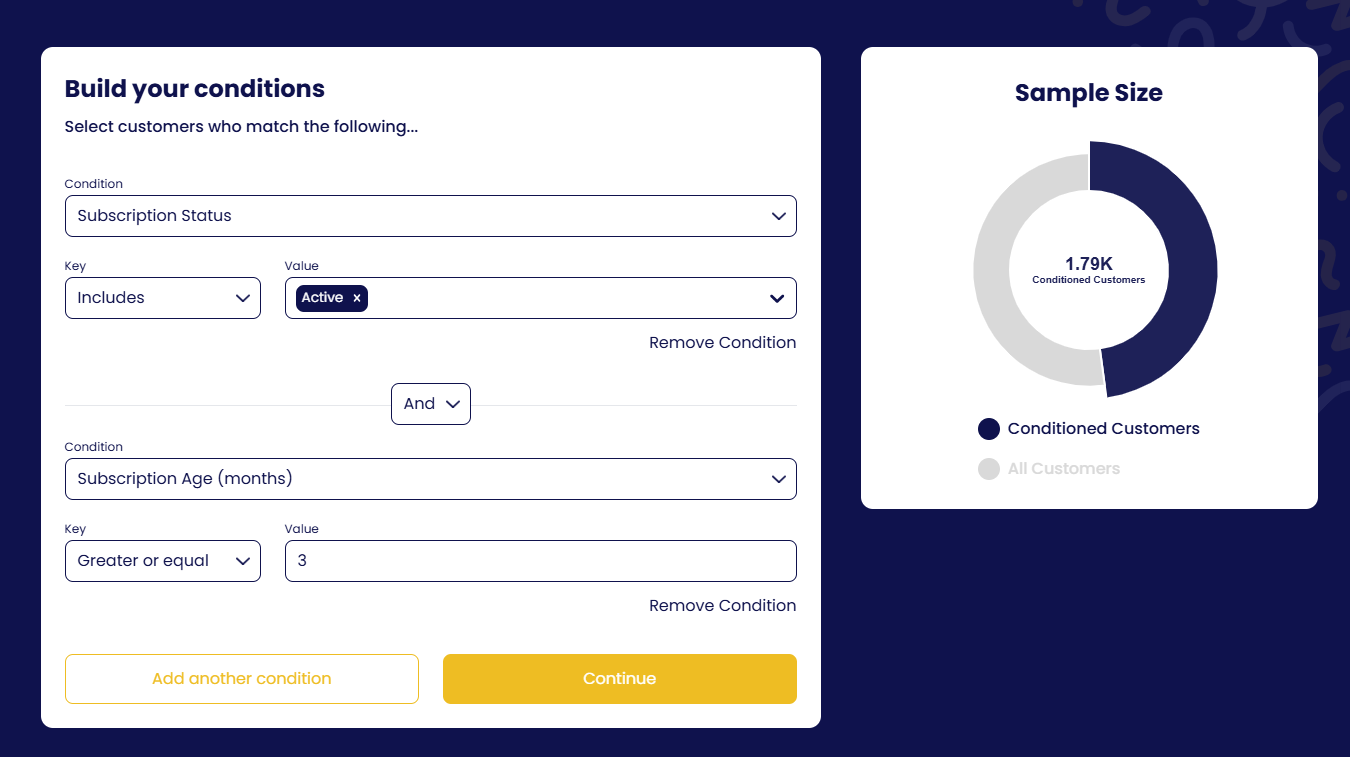
On each flow you add the conditions that decide who sees it — either a single condition or several, combined with and / or — and the Sample Size chart shows how many customers match as you build.
Prefer to watch? Customer segmentation walkthrough on YouTube.
Attributes you can segment on
Plus any custom attribute you define (below). Availability varies slightly by gateway; the Audience step only shows attributes your gateway provides.
Custom attributes
Segment on anything your gateway does not know about: whether a customer already extended their trial, their activity level, their plan tier, a flag from your own database.
- Create the attribute
Under Settings → Configuration → Custom Attributes, or directly from the Conditions step, add an attribute with a Label, a Key (the name you will pass at launch) and a Type: Text, Number, Date or Boolean. Click Save.
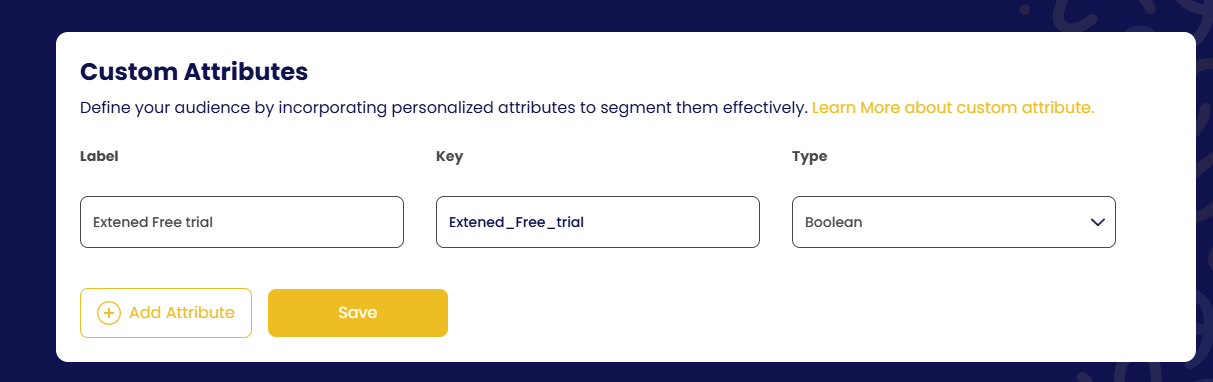
Custom Attributes: label, key and type. 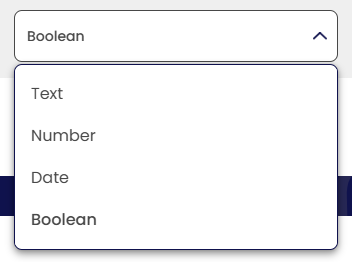
The four attribute types. - Use it in a segment
The attribute now appears in the Condition list of every flow. For example: customers whose Extended Free trial is True get a flow without a trial-extension offer.
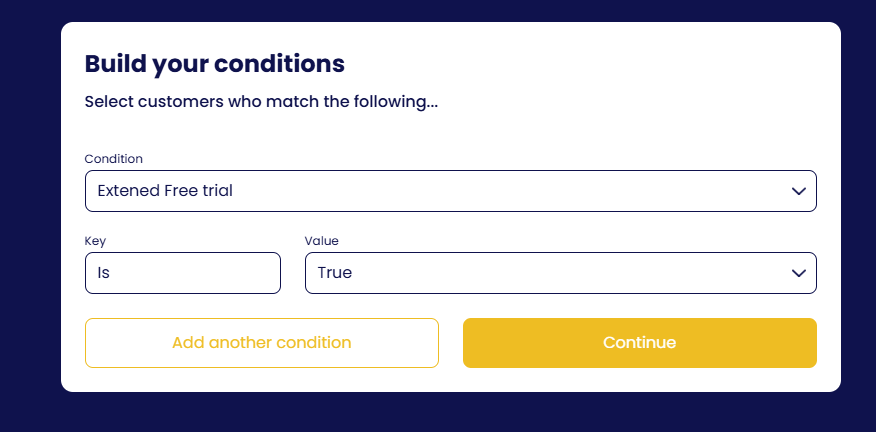
Using the custom attribute as a flow condition. - Pass the value at launch
Include it under
options.customerAttributeswhen you callrun().
window.churnSolution?.run({
  authKey, subscriptionId, appId: 'APP_ID',
  options: {
    customerAttributes: {
      Has_Extended_Free_Trial: false, // or true, based on the customer's status
    },
  },
});
Using metadata you already have
If the value already exists in your customer or subscription metadata in the gateway, create the custom attribute with the same key and data type and you do not need to pass anything at launch. When a customer opens the flow, Churn Solution uses, in order:
-
The value passed in
customerAttributes, if any -
The subscription's metadata
-
The customer's metadata
WordPress-plugin merchants (WooCommerce, PMPro) use the metadata route, since there is no launch call to pass values in.