A/B experiments
Create several variants of a flow, split the traffic between them, and keep the one that saves more customers.
What you can test
Any change between variants of the same flow: a different offer for the same reason, different wording, a different step order, or an entirely different flow.
Create an experiment
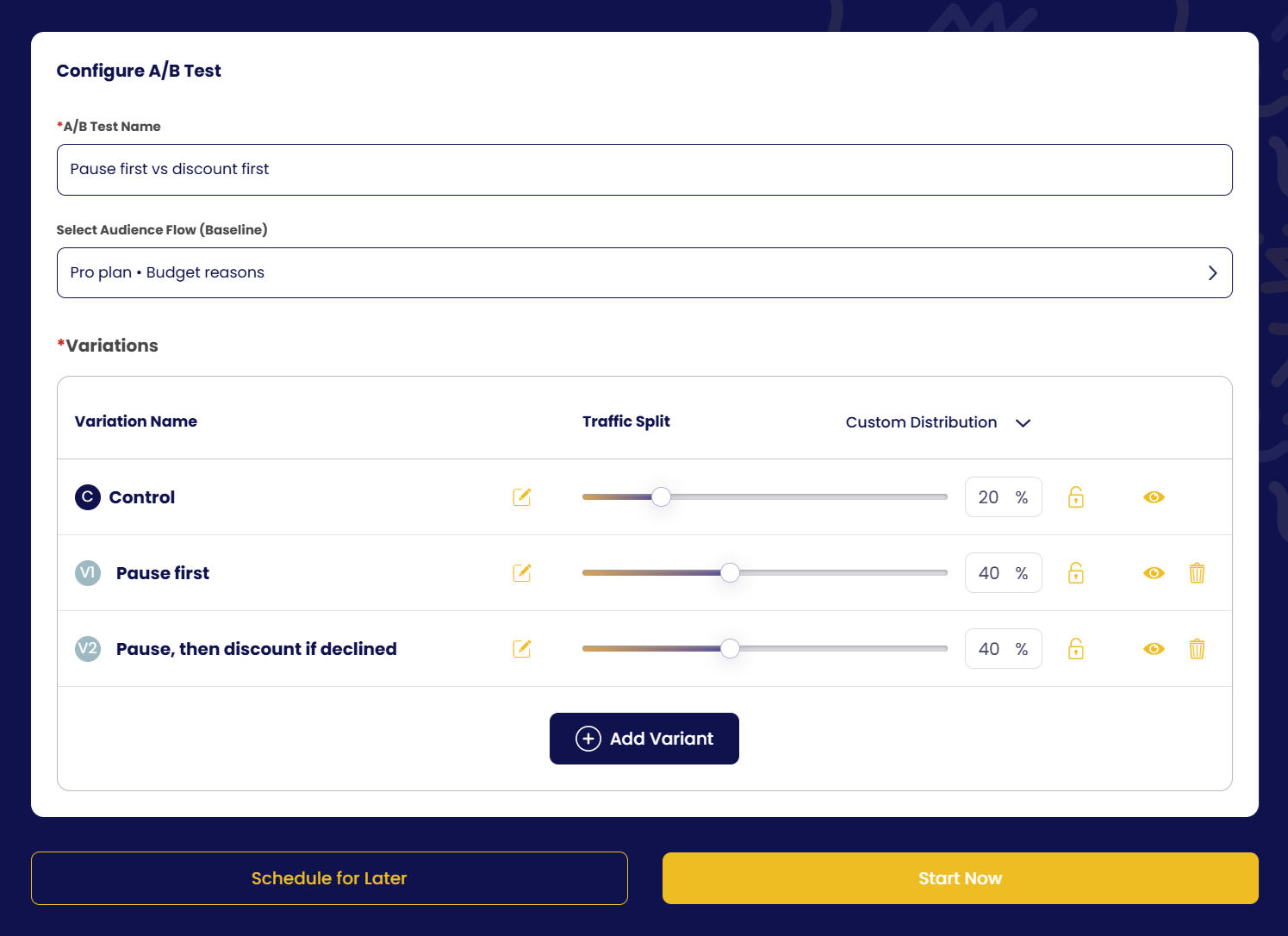
- Name the experiment
Open A/B Experiments, click Create, and give it a name.
- Select the audience flow (baseline)
Pick the published flow you want to test. It becomes the Control variant.
- Add variants
Click Add Variant; each variant starts as a copy of the control. Open it (edit icon) and change what you want to test; preview it with the eye icon. Add as many variants as you like.
- Set the traffic split
Choose Equal distribution, or drag each slider to the percentage you prefer (for example Control 50 % / Variant A 50 %). The split must add up to 100 %.
- Start now, or schedule for later
Start Now launches immediately. Schedule for Later lets you set a start date and time, an end date and time, or both; the experiment starts and stops on its own.
View the results
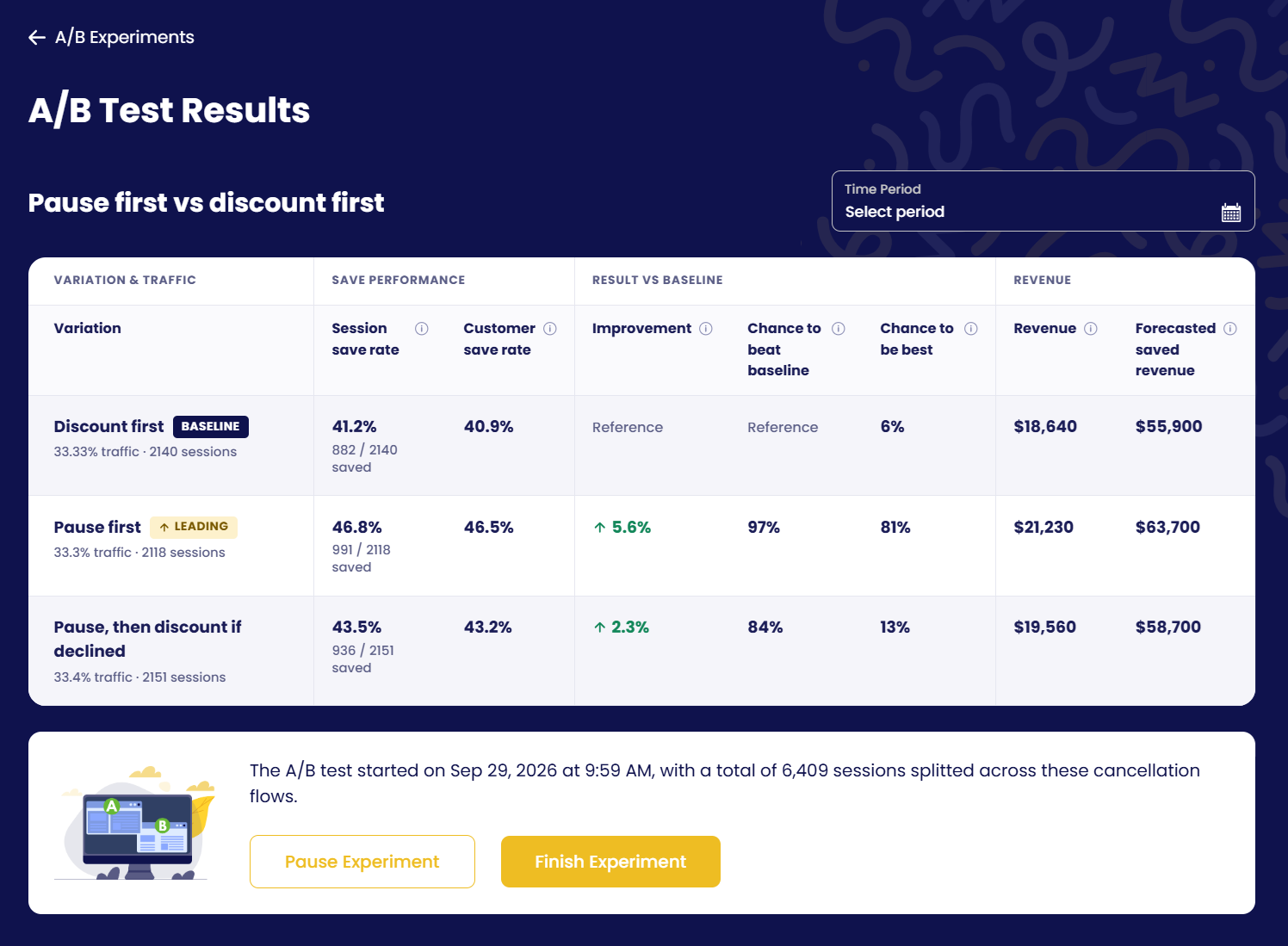
Open the experiment to compare the variants and decide which works better. In the example below, showing the pause before the discount saves 5.6 points more sessions and is 81 % likely to be the best option. The results table shows, per variant:
| Column | Meaning |
|---|---|
| Variation & traffic | Variant name, its traffic share and number of sessions. The baseline is tagged Baseline; the current best is tagged Leading. |
| Session save rate | Sessions saved ÷ sessions, with the raw count (e.g. 1,006 / 1,958 saved) |
| Customer save rate | Same, counted per customer rather than per session |
| Improvement | Save-rate difference vs the baseline |
| Chance to beat baseline | Statistical probability that the variant is better than the baseline |
| Chance to be best | Probability that the variant is the best of all variants |
| Revenue / Forecasted saved revenue | Revenue kept so far, and the forecast if the variant handled all traffic |
Below the table:
- Revenue breakdown: average boost after coupon, after pause and after abandon, per variant.
- Probability distributions: the conversion-rate curves of each variant; the less they overlap, the more confident the result.
- Save rates overview: save rate over time per variant (exportable).
- Session outcome overview: a flow chart from each variant to retained / cancelled and then to the cancellation reasons.
Pause or finish
- Pause Experiment stops the split; everyone sees the baseline until you resume.
- Finish Experiment ends the test. Pick the winning variant; it becomes the flow and the other variants are unpublished.