AI feedback analysis
Every answer a customer writes in a flow is classified automatically by sentiment, category and intent, so you can read the themes instead of every comment.
How each piece of feedback is classified
| Label | Values | Answers |
|---|---|---|
| Sentiment | Positive · Neutral · Negative | How the customer feels |
| Category | General · Pricing · Functionality · Usability · Support · Refund · Content · Junk | What the comment is about (Junk filters empty or meaningless answers) |
| Intent | Opinion · Issue · Request · Suggestion | What the customer wants you to do with it |
Classification runs as sessions arrive. Both the follow-up answers from the survey and free-form feedback are included.
The feedback feed
Each card shows the customer, the date, the cancellation reason they picked, the follow-up question and their answer, the free-form feedback, and the three labels.
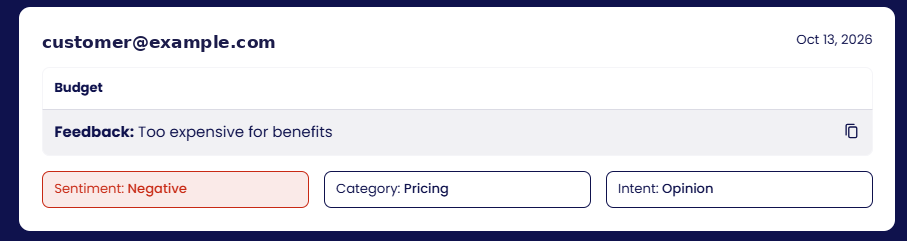
You can filter the feed by time period, sentiment, intent, user plan, flow and subscription status, search for a user or a word in the feedback, and export the filtered list.
Breakdowns
- Categories: share of feedback per category (for example Pricing 12 %, Functionality 11 %).
- Intent: share per intent (opinion, issue, request).
- Sentiment by category: for each category, the positive / neutral / negative split, so you see that pricing comments are mostly negative while usability comments are mostly neutral.
- Sentiment over time is on the main Analytics dashboard.
Custom categories
Categories can be tailored to your product, and the model can be pretrained on your own historical feedback on request. Contact the team.