Analytics
Recovered revenue and campaign performance in real time, with a per-invoice timeline for every email and retry.
On this page
Core metrics
| Metric | Meaning |
|---|---|
| Recovered revenue | Total revenue collected from failed invoices that were recovered through dunning emails, smart retries or the Payment Wall |
| Number of recovered payments | How many failed invoices were paid after recovery started |
| Campaigns sent | How many recovery emails have gone out across your campaigns |
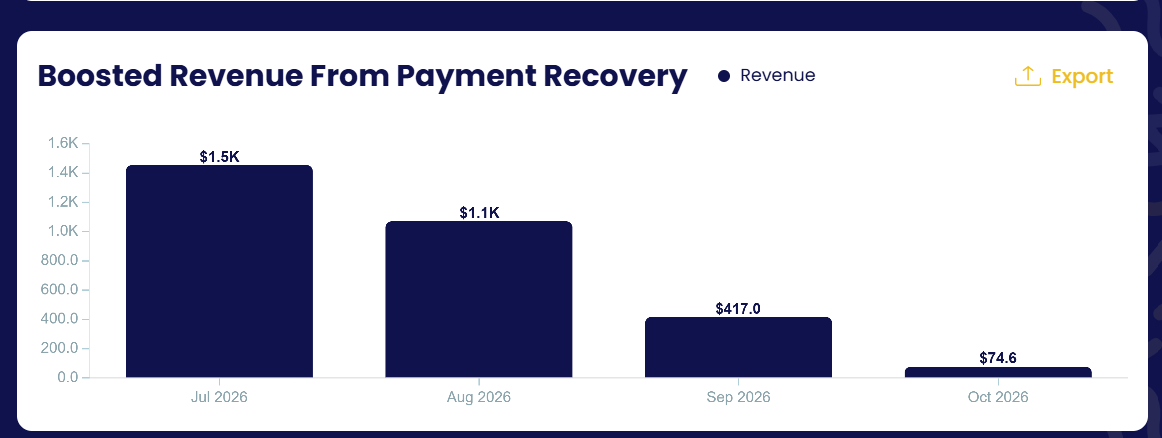
Boosted revenue from payment recovery
Recovered revenue per month, so you can see the money Payment Recovery brings back over time. Exportable.
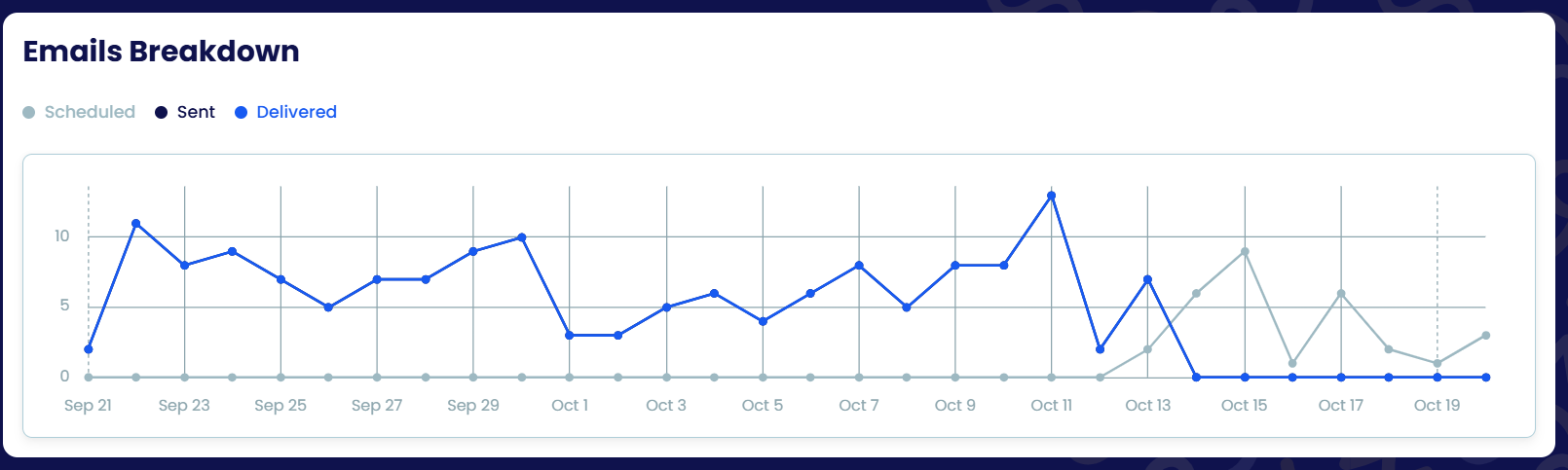
Emails breakdown
Recovery emails per day — scheduled, sent and delivered — so you can see upcoming volume and delivery health of your sequences.
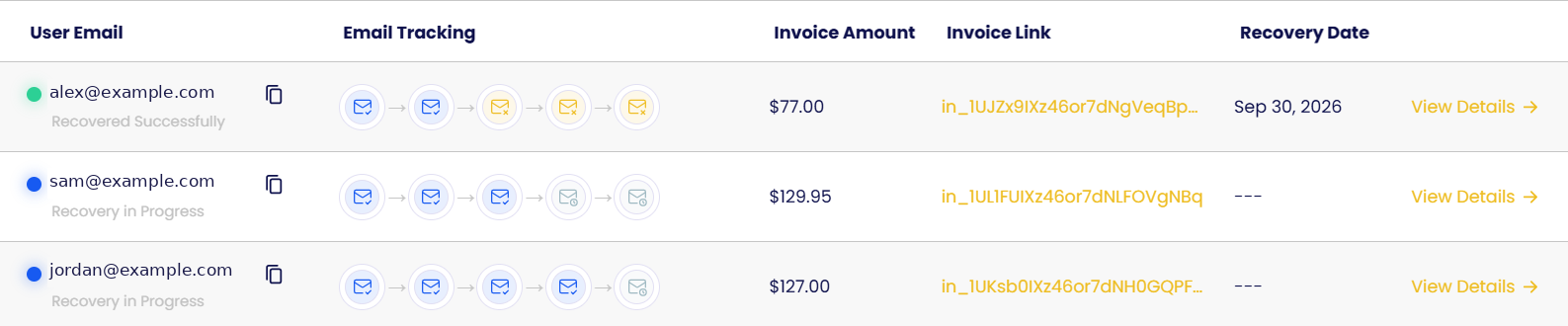
Tracking
Two tables list every invoice in recovery with its status (recovered, in progress), the amount, a link to the invoice in your gateway and the recovery date. Click View Details for the customer's full timeline.
Email tracking
One icon per step of the sequence shows whether each email was sent, delivered, is scheduled or failed.
Retries tracking
One icon per attempt shows the failed charge, each retry and the final outcome.
